Anijam Review: Redefining AI Animation Creation Standards
Imagine bringing any creative story to life — turning your narrative concepts into polished, screen-ready, and professional-grade animations without the steep learning curve of traditional animation software.
That’s Anijam: an all-in-one AI animation platform that simplifies the complexity of traditional animation, replacing it with a conversational, AI-driven seamless workflow that empowers creators of all skill levels to produce high-quality animations with unprecedented ease.
After in-depth testing of its workflow, core features, real-world performance, and comparison with popular AI animation tools, here’s your complete guide to this transformative AI animation tool.
What is Anijam AI Animation Video Generator?
Anijam, developed by Dzine(all-in-one Image & Video Studio) and released in early 2026, is an all-in-one AI animation platform that integrates text/image to video, lip sync, character consistency, motion control, and video editing into a single unified workspace.
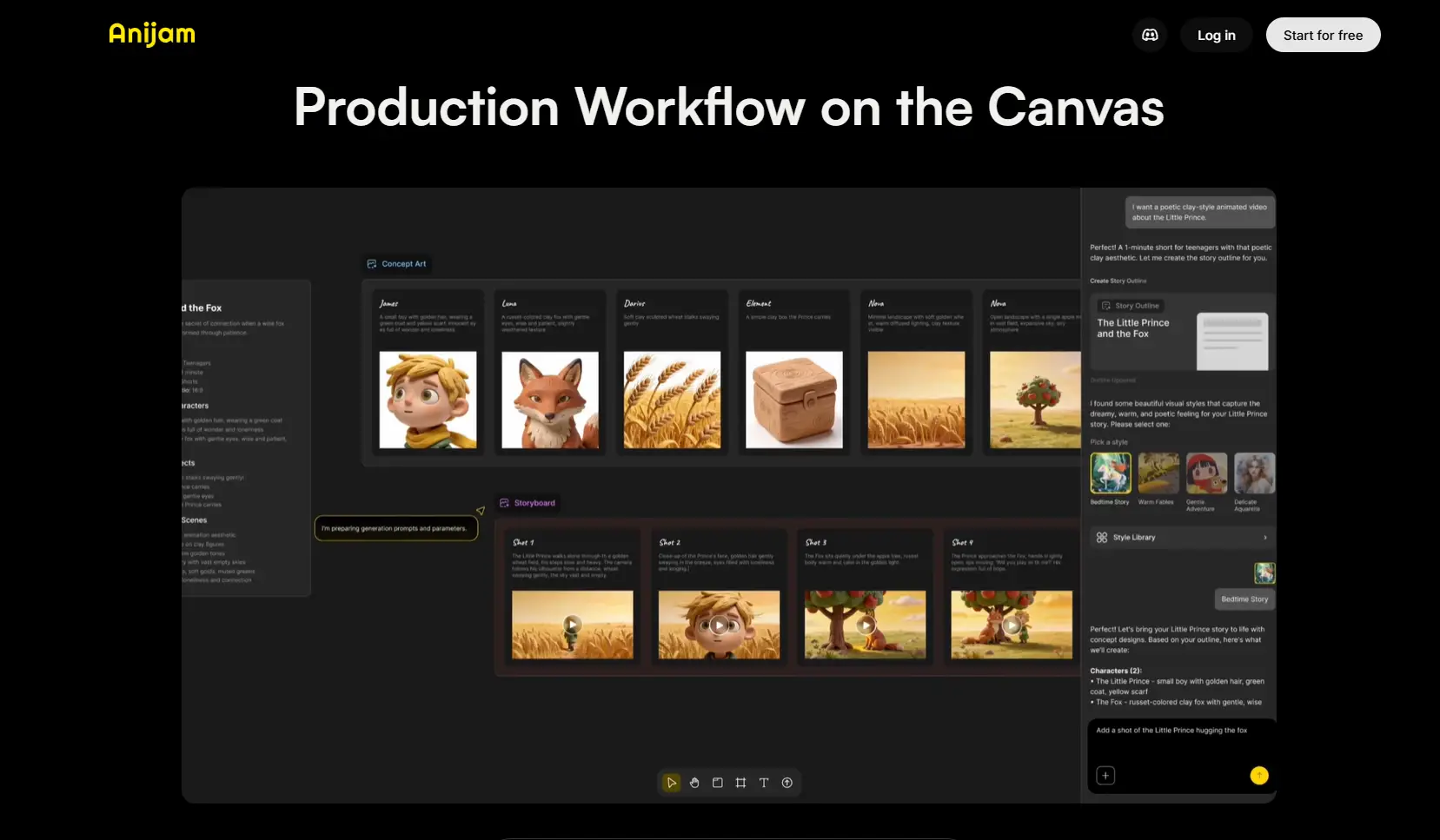
What sets Anijam apart is its “Production Workflow on the Canvas” — an agent-driven creation system where the entire animation process happens in one place. It combines concept creation, asset management, and storyboard sequencing into a seamless workflow, allowing users to build animations step by step without switching between tools.
Key Features of Anijam AI Animation Video Generator
1. All-in-One Canvas: From Idea to Screen in a Single Workflow
Anijam unifies every step of animation production on a single platform. From concept ideation and asset management to storyboard sequencing, you can create high-quality animations step by step without switching tools. Its AI-powered features handle text/image to video generation, visual editing, timeline control, and final export, keeping your focus on creativity.
2. Chat-Based Creation: Instant Story & Assets
Describe your concept, and Anijam’s AI will generate a story outline and initial assets based on your idea or reference images. Choose from a rich style library and easily refine your animation through intuitive, chat-based interactions — letting you experiment and perfect your vision without any technical barriers.
3. Realistic Lip Sync for Character Animation
Anijam provides a powerful lip-sync engine built specifically for animation. It supports a wide voice library, multiple languages, expressive emotions, and natural mouth movements that match audio perfectly, making characters feel expressive and lifelike.

4. Consistent Character Creation & Motion Control
Create fully original characters and maintain consistency across every scene. Anijam locks character design, style, and behavior to keep your cast cohesive throughout stories and long-form projects. Enjoy flexible character control, such as turning a character into a full-body version while preserving the same look and personality.
Built-in motion control lets you adjust movements, gestures, and scene positioning effortlessly, giving you full creative freedom over both character appearance and animation performance.
5. Variety Style Library with Custom Training
Anijam includes a broad library of animation styles, from classic to modern. You can also train your own custom artistic style to match brand identity or personal aesthetic, ensuring unique and consistent visuals.
6. Intuitive Timeline Editor for Precise Control
Anijam’s timeline editor lets you fine-tune timing, clip length, sequencing, and audio-visual synchronization for each scene or short segment. Rearrange clips, adjust durations, and manage scene transitions with simple drag-and-drop controls, keeping full control over your animation workflow — all without advanced technical skills.
How to Use Anijam Animation Video Generator - 3 Steps
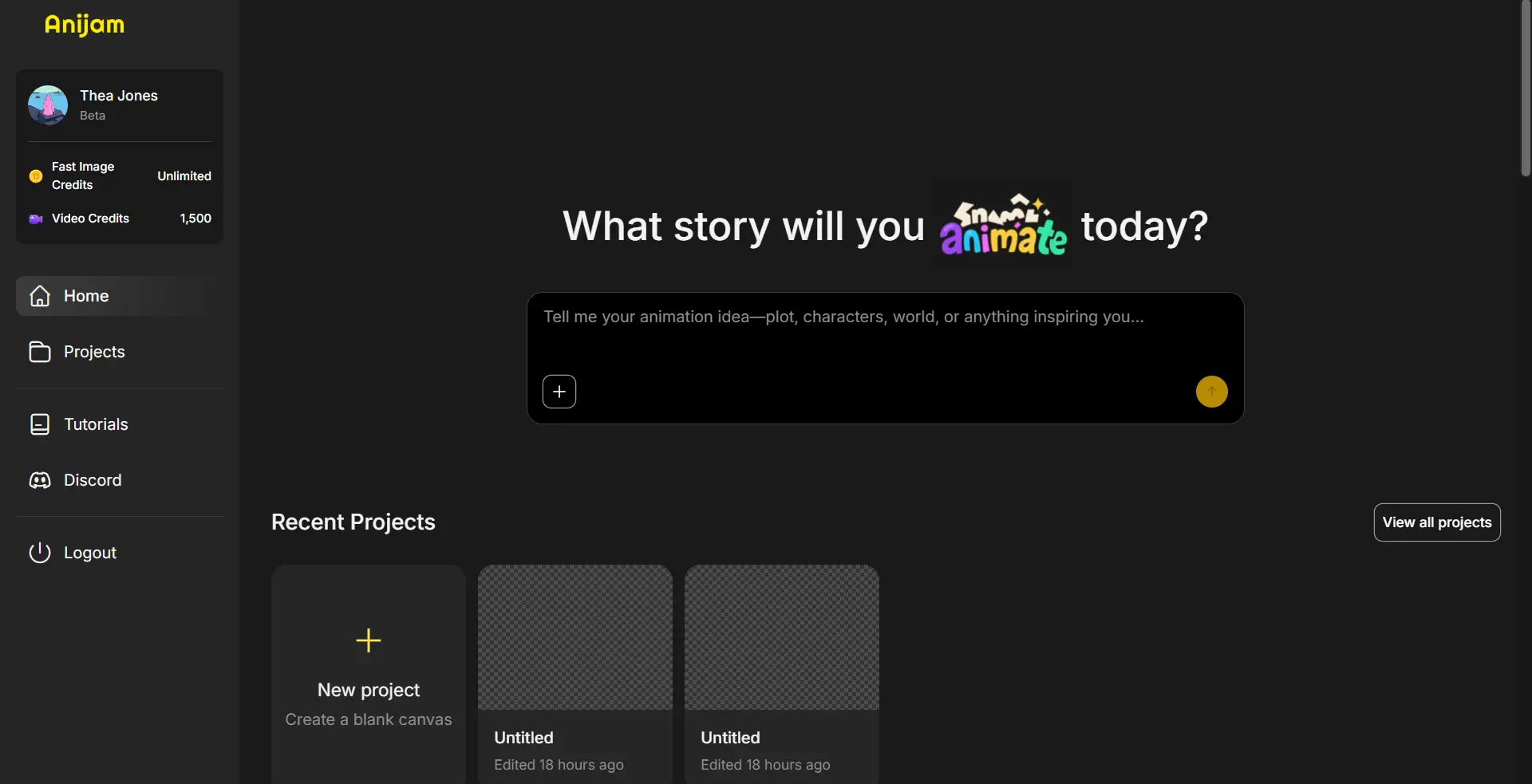
Getting started with Anijam is simple and requires no installation.
Step 1: Input Your Idea
Simply describe your animation concept — you can also upload a reference image — and our tool will automatically generate a complete story outline for your animation.
step 2: Generate Your AI Animation Video
Choose a visual style, adjust preferences, upload your own audio or select a voice from the library. Customize your character or use ready-made assets, then click the Generate button.
step 3: Download & Share
Use the intuitive timeline and built‑in AI tools to refine motion, timing, and scene details. Once you’re satisfied, download or share your finished animated video to anyone across any platform.
Anijam AI Animated Video Use Cases
Social Media Content & Short Clips
Anijam enables creators to produce short, engaging animated videos optimized for platforms like TikTok, Instagram, and YouTube Shorts. Users can animate playful characters performing quick actions, deliver humorous or educational mini-stories, or showcase trending topics in visually striking ways. The flexibility allows for fast iteration, so creators can maintain a consistent posting schedule while keeping content fresh and shareable.
Animated Series & Storytelling
With Anijam, animators and content creators can craft episodic narratives or full mini-series without traditional studio resources. Characters can be designed once and reused across multiple episodes, allowing for coherent storytelling with expressive animations, cinematic camera movements, and detailed environments. This makes it ideal for web series, digital storytelling projects, or narrative shorts aimed at online audiences.
Marketing and Advertising
Brands and agencies can leverage Anijam to produce animated campaigns and product demonstration videos. By animating products in 3D environments or creating characters that interact with services, marketers can deliver visually compelling stories that highlight key features and benefits. The platform allows teams to create high-quality promotional content quickly, supporting both social media campaigns and internal presentations.
Educational & Interactive Learning
Anijam turns lessons into engaging animated experiences. Teachers can bring history to life with dynamic reenactments, while animated timelines and narration make complex topics easy to grasp. Science concepts, from the water cycle to planetary motion, can also be visualized dynamically, making learning fun and memorable.
Real-World Testing: Four Scenarios
Test 1: Short Narrative Animation (Character + Story)
Prompt: Animated short showing a penguin with a red scarf protecting a fish in icy winds until sunlight breaks through, expressive character movements and dynamic camera shifts
- Anijam: Anijam uses an AI Agent workflow to generate complete animated sequences directly from text prompts. It ensures character consistency, scene coherence, and cinematic-style storytelling. The built-in style library, character design tools, and lip-sync engine allow expressive and polished animation output that feels like traditional short films.
- Renderforest: Template-driven animation platform. Generates visually coherent scenes but relies on predefined templates. Story continuity and character expressiveness are more limited.
- Leonardo.AI: Focuses on image-to-video or motion generation. Produces short animated clips quickly, but lacks full narrative continuity for multi-scene storytelling.
- Animaker: Drag-and-drop 2D animation platform. Supports character and scene storytelling but relies heavily on manual editing and template selection; AI-driven full-text-to-animated-story capability is limited.
Winner: Anijam — strongest for text-to-story short animations with coherent character movements.
Test 2: Character Lip Sync & Dialogue Prompt: “Friendly robot mascot introducing a new product, speaking clearly: ‘Hello everyone! Check out our eco-friendly gadget today!’ Ensure precise mouth movements synced to the text, with expressive gestures and natural pacing.”
- Anijam: Built-in AI-optimized lip sync engine and rich voice library deliver natural and expressive speech animation. Supports custom vocal identities, pacing, and emotion, keeping character gestures consistent and believable.
- Renderforest: Supports TTS voices and multiple languages, but automatic lip-sync quality is less detailed; character expression depends on template animations.
- Leonardo.AI: Mainly produces moving image effects; lip-sync and dialogue-driven animation are minimal.
- Animaker: Offers text-to-speech with basic mouth movement synchronization for 2D characters; suitable for simple cartoon dialogue but less expressive.
Winner: Anijam — excels at realistic, expressive, automated character speech animation.
Test 3: Cinematic / Stylized Motion Animation Prompt: “Futuristic cityscape with neon lights, flying cars, and dynamic camera pans, toon/cinematic style.”
- Anijam: Provides a professional style library and allows creation of stylized, cinematic animations with consistent character and environment design. Best suited for narrative-focused sequences rather than raw photorealistic motion graphics.
- Renderforest: Template + AI model approach produces visually cohesive multi-scene animations quickly; suitable for cinematic storytelling with smooth scene transitions.
- Leonardo.AI: Good for converting static images into short motion clips; great for dynamic visual effects but lacks complex multi-shot cinematic planning.
- Animaker: Offers cartoon and scene templates, good for marketing or story-driven clips, but limited in cinematic camera movements and stylized multi-scene animation.
Winner: Renderforest — most consistent for multi-scene stylized animation; Leonardo.AI is next best for image-to-motion sequences.
Test 4: Branded Marketing & Promo Animation Prompt: “Branded animation promoting an eco-friendly tech product with clear highlights, character interactions, and engaging pacing”
- Anijam: Supports consistent character design, style application, and AI-driven scene pacing, ideal for marketing animations that integrate product storytelling with character interactions.
- Renderforest: Supports brand-focused templates and AI-generated animations for marketing; easy to produce complete promotional videos with multi-language voiceovers and branding.
- Leonardo.AI: Mainly generates motion from images; combining brand storytelling with characters may require external editing.
- Animaker: Good for cartoon-style promotional content; templates and voiceovers support marketing clips but are less flexible for fully custom animated brand narratives.
Winner: Anijam / Renderforest — Anijam is stronger for narrative-driven brand storytelling, Renderforest is stronger for template-driven marketing videos.
Optimal Use Cases by Model
Choose Anijam when: Narrative-driven character animation is essential, producing animated series or educational videos, creating story-based content with scene continuity, or projects where expressive motion and visual storytelling must be coherent across multiple scenes.
Choose Renderforest when: Professional explainer videos, corporate presentations, or branded social media content are required, high-resolution multi-minute videos are needed, or consistent, polished visual output with built-in voiceover and templates is a priority.
Choose Leonardo.AI when: Creative, dynamic motion or experimental animation is the goal, generating short cinematic loops, visual concept tests, or high-fidelity motion graphics where prompt flexibility and model-driven experimentation are important.
Choose Animaker when: Quick 2D/cartoon animations, educational clips, or enterprise training videos are needed, template-driven workflows are preferred, or projects require easy-to-use drag-and-drop tools with a large asset library.
Choose Dzine when: Stylized, character-focused social media shorts or anime/cartoon content is desired, smooth lip-sync and motion consistency are important, or you want a versatile platform that combines animation, image, and audio generation for short narrative or promotional videos.
Conclusion
Anijam proves that AI animation doesn’t have to be complicated. By combining character creation, lip-syncing, style libraries, and a timeline editor into one platform, it empowers creators to focus on storytelling rather than technical hurdles. For anyone interested in fast, expressive, and professional-looking animation, Anijam is worth trying.
Start creating your first animation with Anijam today. Get Started for free.
by Daisy
Exploring how AI transforms marketing, I help businesses unlock growth and future-proof their presence.