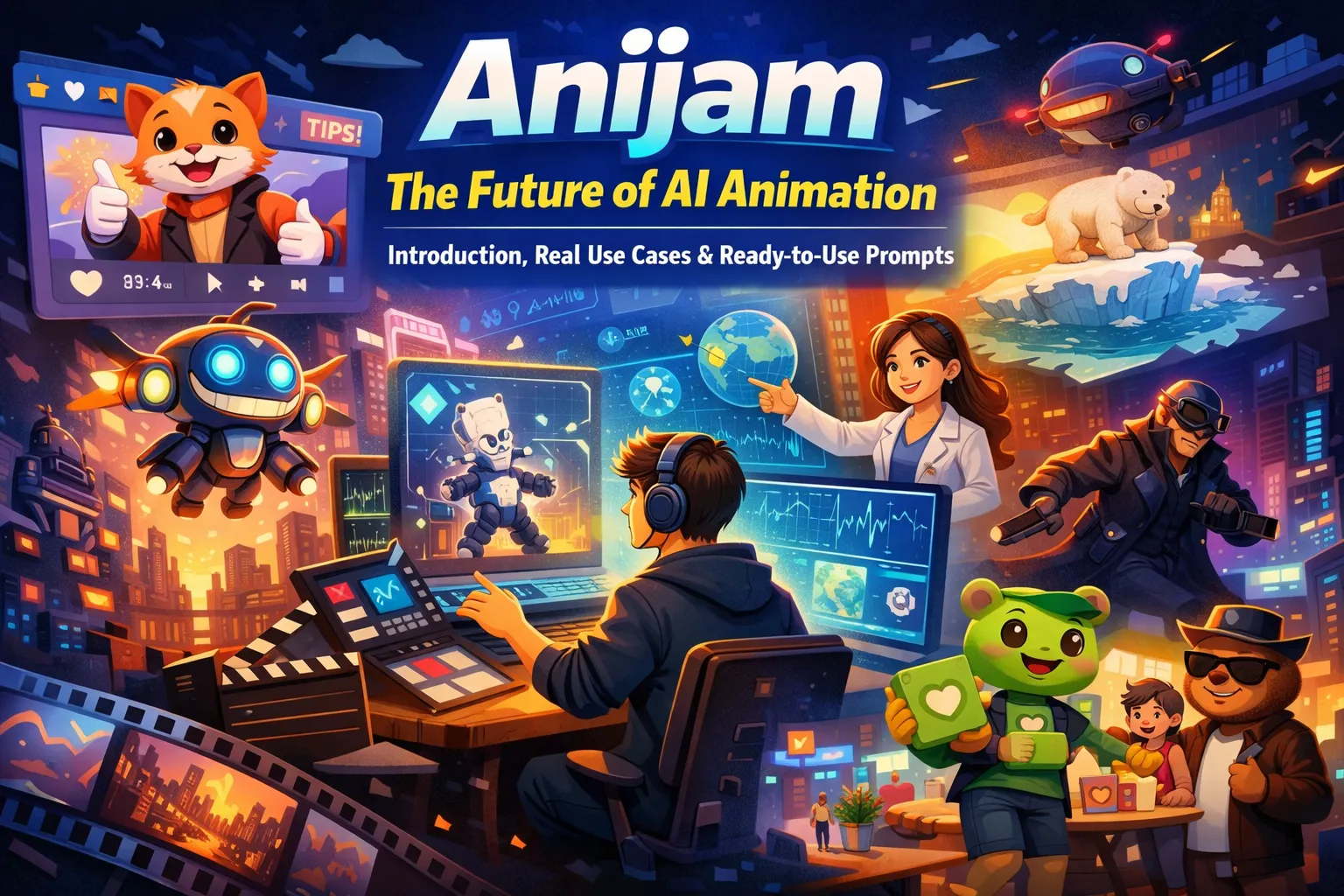
Anijam: The Future of AI Animation — Introduction, Real Use Cases & Ready‑to‑Use Prompts
Animation has always been one of the most powerful storytelling mediums — but crafting consistently high‑quality animated content traditionally requires specialized skills, long production cycles, and expensive software. Anijam redefines this workflow. With AI-powered animation, creators can turn any story idea into fully animated videos — all on a single canvas.
In this article, we’ll explore:
- What Anijam is and why it matters
- High‑value, actionable usage scenarios
- Example prompts you can start using today
What is Anijam AI Animation Video Generator?
Anijam, developed by Dzine, is a next‑generation animation platform powered by conversational AI agents. Rather than relying on traditional timelines or frame‑by‑frame keyframing, it lets creators simply describe their vision in natural language. The AI interprets those instructions to generate complete animations, manage animation timelines automatically, and even apply advanced features like lip‑sync and consistent character design across scenes.

Key highlights include:
🎨 Conversational Animation Workflow Easily create character, scenes and sequences by describing your ideas in plain language — no technical animation knowledge required. 🖌 All-in-One Animation Creation From concept art to final render, Anijam’s AI agent manages character, scenes, shots, and sequences automatically, eliminating the need for multiple apps or complex timelines. 🧠 Character Design & Consistency Design unique characters and maintain visual and behavioral consistency across all scenes. Anijam ensures your characters’ personality and style remain coherent in every story. 🗣 Advanced Lip Sync & Voice Library Upload custom audio or select from a rich voice library. The animation-optimized lip-sync engine delivers expressive, perfectly timed performances that bring characters to life. 🖌 Professional Style Library & Custom Looks Access a wide range of artistic styles — from classic aesthetics to cutting-edge visuals — and even train your own signature style for films, branding, or social media content. 🧩 Timeline Editor & Video Editing Fine-tune shots, adjust pacing, and sequence scenes effortlessly with the integrated timeline editor.
Anijam In Action — Real Use Cases
Below are practical examples of how creators, marketers, and educators can leverage Anijam to solve real problems faster and with better quality.
1. Animated Storytelling & Short Films
Creators and indie filmmakers can generate narrative animation without teams of artists.
Scenario:
A young inventor in a floating city unveils a small flying robot that glows with neon lights. The robot zooms through bustling skyways, narrowly avoiding airships and neon signs, before finally landing on the inventor’s rooftop as fireworks light up the night sky.
How Anijam Helps:
- Automatically generates concept art and storyboard shots for each sequence
- Animates characters and objects with consistent motion and personality across multiple scenes
- Applies dynamic camera movement, lighting effects, and motion control to create cinematic impact
Prompt: Animate a floating city at night with a young inventor and a neon-glowing flying robot. Show the robot navigating between airships and signs, ending on a rooftop under fireworks. Include dynamic camera angles, motion blur, and expressive character reactions
This scenario demonstrates how indie filmmakers or content creators can craft cinematic, high-energy short films without needing a full animation studio.
2. Social Media & Short-Form Video
Scenario:
Daily TikTok or Instagram Reels featuring branded avatars.
Why Anijam Works:
- Fast creation of consistent, branded animations
- Characters remain visually consistent across multiple clips
- Integrates lip-sync and music automatically
Prompt: Create a 30-second Instagram Reel with a cheerful animal mascot giving three productivity tips. Include expressive character gestures, text pop-ups, background music, and fun camera angles suitable for short-form social media
3. Educational & Explainer Videos
Scenario:
Create an animated lesson explaining climate change to middle school students, showing rising temperatures, melting ice caps, and the effects on wildlife.
How Anijam Helps:
- Uses animated characters and visuals to simplify complex topics, making them easier to understand
- Reduces production time from weeks to minutes compared to traditional animation
- Automatically syncs narration, diagrams, and character actions for smooth, cohesive storytelling
Prompt: Produce a 90-second animated explainer on climate change for middle school students. Include animated ice caps melting, affected wildlife, and a friendly narrator voice. Use clear graphics, engaging characters, and subtle background music
4. Marketing Campaign Animation
Scenario:
A summer campaign promoting a new eco-friendly product line with animated brand mascots interacting with customers in a lively city street.
Benefits:
- Reusable characters allow multiple variations for A/B testing
- Dynamic camera angles, lighting, and motion make the ad cinematic and engaging
- Complete end-to-end AI workflow from concept art to final render saves time and cost
Prompt: Produce a 45-second animated marketing video for a summer eco-friendly product launch. Show mascots interacting with customers on a vibrant city street, include upbeat music, animated product highlights, and cinematic camera movements
5. Corporate Training & Internal Videos
Scenario:
An animated onboarding video introduces new employees to a company’s culture, core values, and workplace safety guidelines, featuring friendly characters navigating office scenarios.
How Anijam Helps:
- Creates engaging, easy-to-follow animated training content that keeps employees attentive
- Allows quick iterations of scripts, characters, and visuals without redoing the entire animation
- Automatically synchronizes narration, text callouts, and character actions for a polished final video
Prompt: Produce a 2-minute animated onboarding video for new employees. Include friendly office characters demonstrating core company values, safety procedures, and collaboration tips. Use a professional but approachable style, clear narration, and smooth transitions between scenes
6. Entertainment / Web Series Scene
Scenario:
A cyberpunk detective chases a rogue AI through neon-lit alleys and rooftop highways at night, encountering holographic billboards, flying drones, and rain-slick streets.
How Anijam Helps:
- Automatically generates dynamic concept art and storyboard sequences for action-packed scenes
- Animates characters, vehicles, and environmental effects with consistent motion and lighting
- Applies cinematic camera movements, motion blur, and atmospheric effects to create a high-energy, immersive scene
Prompt: Animate a cyberpunk detective chasing a rogue AI across neon-lit alleys and rooftop highways at night. Include flying drones, holographic billboards, rain reflections, dramatic lighting, and dynamic camera angles for a cinematic action sequence
How to Use Anijam Animation Video Generator - 3 Steps
Getting started with Anijam is simple and requires no installation.
Step 1: Input Your Idea
Simply describe your animation concept — you can also upload a reference image — and our tool will automatically generate a complete story outline for your animation.
step 2: Generate Your AI Animation Video
Choose a visual style, adjust preferences, upload your own audio or select a voice from the library. Customize your character or use ready-made assets, then click the Generate button.
step 3: Download & Share
Use the intuitive timeline and built‑in AI tools to refine motion, timing, and scene details. Once you’re satisfied, download or share your finished animated video to anyone across any platform.
💡 Prompt Engineering Tips for Better Results
To get the most out of Anijam, follow these prompt best practices:
Be specific with your scene descriptions
Include camera angles (e.g., close‑up, wide shot), character emotions, and lighting.
State the desired style or mood
Terms like “cinematic”, “cartoon style”, or “educational” help the AI tailor visuals.
Include narration cues if needed
Specify if characters speak or if a narrator voice is required.
Example prompt refinements:
Weak: “Make an animation of a city.” Strong: “20‑second animation of a rainy cyberpunk city, neon reflections, slow zoom out, ambient synth soundtrack.”
This aligns with prompt engineering insights — clarity yields better outputs.
Getting Started with Anijam
Anijam is currently in beta with early access available, and free for a limited time. Creators can join to explore its capabilities and help shape its future by contributing feedback and use cases.
Whether you’re a storyteller, educator, marketer, or social creator, Anijam empowers you to bring animated visions to life with far less effort than traditional workflows.
Conclusion
Anijam represents a seismic shift in how animation can be created — collapsing weeks of traditional production into conversational AI prompts and automated workflows. With its suite of features — including character consistency, advanced lip‑sync, and style libraries — it opens up animated storytelling to creators of all skill levels. From social media clips to full explainer videos, the real‑world use cases are vast and growing.
If you’re looking to streamline your animation workflow or bring your ideas to life faster, now is the perfect time to try Anijam while it’s still free in early access. Start exploring its capabilities and see how quickly you can turn concepts into compelling animated content.
by Daisy
Exploring how AI transforms marketing, I help businesses unlock growth and future-proof their presence.