
- Tools
- Resources
- Pricing
- API
- Contact Sales
- Book a Demo


AI Baby Filter
Transform any photo into an adorable baby version with Dzine's AI baby filter. Upload your image, enter the prompt, and watch our AI create a realistic baby face filter in seconds - perfect for fun posts, family memories, or creative projects.

Click or drag here to upload images
Try Dzine AI baby filter with one of these
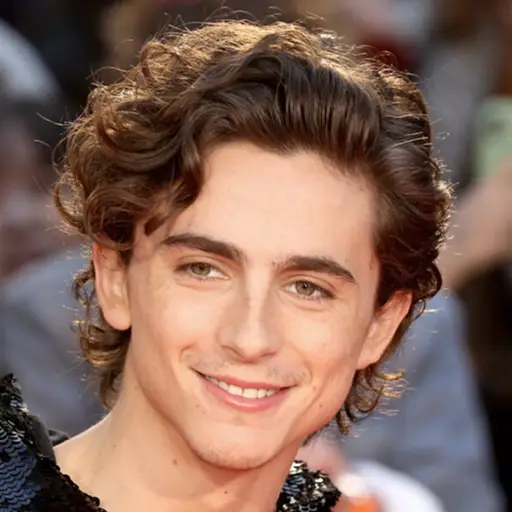
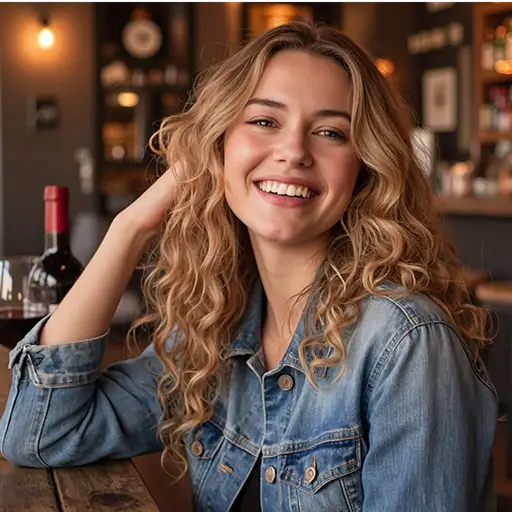
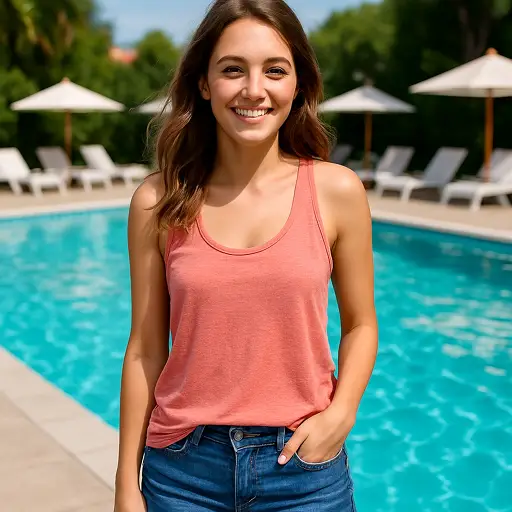
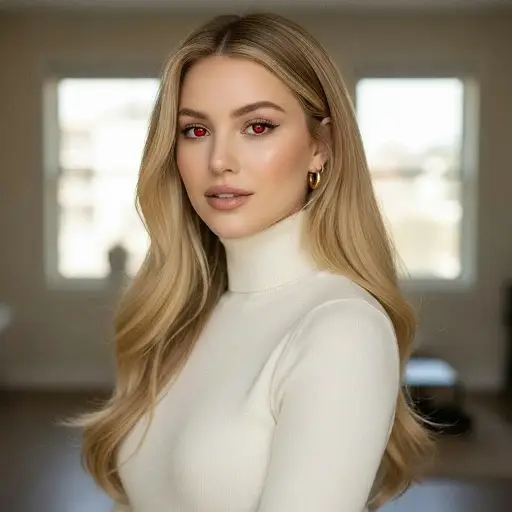
Create Realistic Baby Face Transformations in Seconds
Dzine's baby filter uses advanced AI to turn regular photos into cute baby versions. Our filter baby tool works on any face photo - from selfies to family portraits. Get natural-looking results with chubby cheeks, big eyes, and soft features that make everyone look adorable. No complicated editing needed. Just upload, generate, and share your baby face filter creation. Want to add more effects? Try our AI face swap tool to swap faces between photos.
How to Use AI Baby Filter in Dzine
Step 1. Upload Your Photo and Enter Instructions
Add any clear face photo to Dzine. Type simple instructions like "turn into baby face" or "baby filter with soft features" to guide the AI.
Step 2. Choose Your Desired Model
Select from multiple AI image models and each model creates different baby transformations.
Step 3. Generate Your Baby Version
Click Generate to create your baby face filter photo. Download instantly or adjust settings to refine your result until it's perfect.
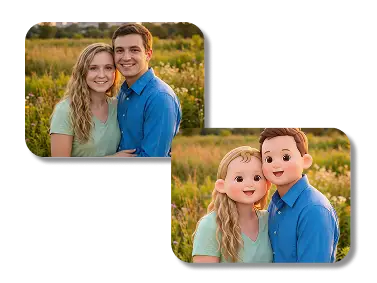
Social Media Fun with Baby Face Filter
Create viral-worthy content for Instagram, TikTok, or Facebook. Our AI baby filter turns your photos into shareable baby versions that get comments and likes. People love seeing themselves as babies - it's the perfect icebreaker for posts. The baby face filter works on group photos too, transforming everyone into adorable babies at once.
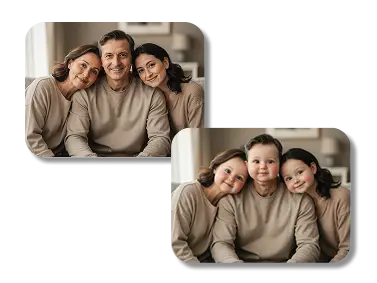
Family Photo Projects with Filter Baby
Show parents what their grown kids looked like as babies. Our filter baby tool recreates baby features from adult photos, perfect for family reunions or memory books. Create side-by-side comparisons of old baby photos versus AI-generated baby versions. The results surprise families with accurate baby face predictions.
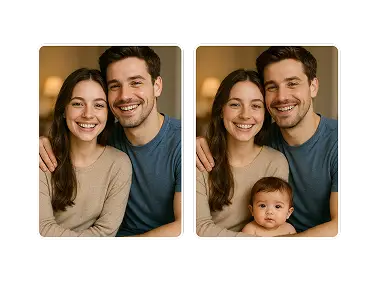
Couples Baby Predictions
Curious what your future baby might look like? Our AI baby filter blends facial features from two photos to create baby predictions. Upload photos of you and your partner, then let the baby face filter generate possible baby versions. It's a fun way to imagine your future family.
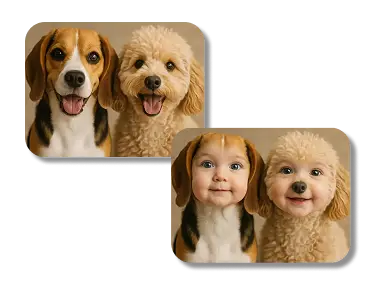
Pet Baby Transformations
Yes, our baby face filter works on pets too! Turn your dog or cat into adorable baby versions with big eyes and soft features. Pet owners love sharing these cute transformations online. The baby filter adapts to animal faces, creating results that look like actual baby animals. It's perfect for pet accounts, greeting cards, or just for fun.
Why Choose Dzine's Baby Filter

Instant Baby Transformations
Our AI baby filter works in seconds - no waiting hours for results. Upload and generate baby face versions faster than any app.

Natural-Looking Results
Advanced AI creates realistic baby features with proper proportions, skin texture, and facial details that look authentic, not cartoonish.

Works on Any Photo Quality
Filter baby tool handles old photos, low-resolution images, or professional shots equally well. No perfect lighting required.

Multiple Style Options
Choose from realistic baby faces, cartoon baby filters, or enhanced cute features. Each baby face filter style creates different looks.

No App Download Needed
Use Dzine's baby filter directly in your browser. No storage space wasted on apps - just upload photos and generate results online.

Batch Processing Available
Apply baby filter to multiple photos at once. Perfect for family portraits or group photos where everyone needs baby transformations.
More AI Photo Filters


Learn More About AI Photo Transformations

What Our Users Said
Perfect for My Pregnancy Announcement
I used Dzine's baby filter to create a prediction image for our pregnancy announcement. Everyone loved seeing what our future baby might look like. The AI baby filter made realistic results that actually resembled both of us!
Emma RodriguezNew Parent
My TikTok Video Went Viral
I made a video showing my whole friend group as babies using the filter baby tool. Got 2 million views in three days! The baby face filter made everyone laugh - results looked so natural yet funny.
Jake ThompsonContent Creator
Great for My Photography Business
As a family photographer, I offer baby filter transformations as an add-on service. Clients love seeing their kids as babies or predicting future baby faces. Dzine's AI baby filter saves me hours of manual editing.
Rachel ChenProfessional Photographer
FAQ
Does the baby filter work on all ages?
Yes, our AI baby filter transforms any age into baby versions. It works best on clear face photos with good lighting, but handles most image qualities well.
Can I use baby filter on group photos?
Absolutely. Dzine's filter baby tool processes multiple faces in one photo. Each person gets their own baby transformation while maintaining the original photo composition.
How realistic are the baby face filter results?
Our AI analyzes facial structure, proportions, and features to create natural-looking baby versions. The baby filter adjusts skin texture, eye size, and facial proportions based on actual baby characteristics.
Is the baby filter free to use?
Dzine offers free baby filter generations with basic features. Premium users get access to more baby face styles, higher resolution outputs, and batch processing for multiple photos.
Can I adjust the baby filter intensity?
Yes. After generating your baby face, use our editing tools to adjust baby feature intensity. Make faces more or less baby-like until you get the perfect result.
What photo format works best for baby filter?
Upload JPG, PNG, or WebP formats. For best baby filter results, use front-facing photos with clear facial features. The AI baby filter adapts to most photo angles and qualities.
Can I use baby filter results commercially?
Yes, you own full rights to images created with Dzine's baby face filter. Use them for personal posts, commercial projects, marketing materials, or print products without restrictions.