Qwen-Image-2.0

Create professional visuals with pixel-perfect text. Dzine integrates Alibaba's Qwen-Image-2.0 to deliver native 2K images, flawless typography rendering, and unified generation-editing workflow. Design infographics, posters, and presentations that look publication-ready.

No idea? Try these inspirations.

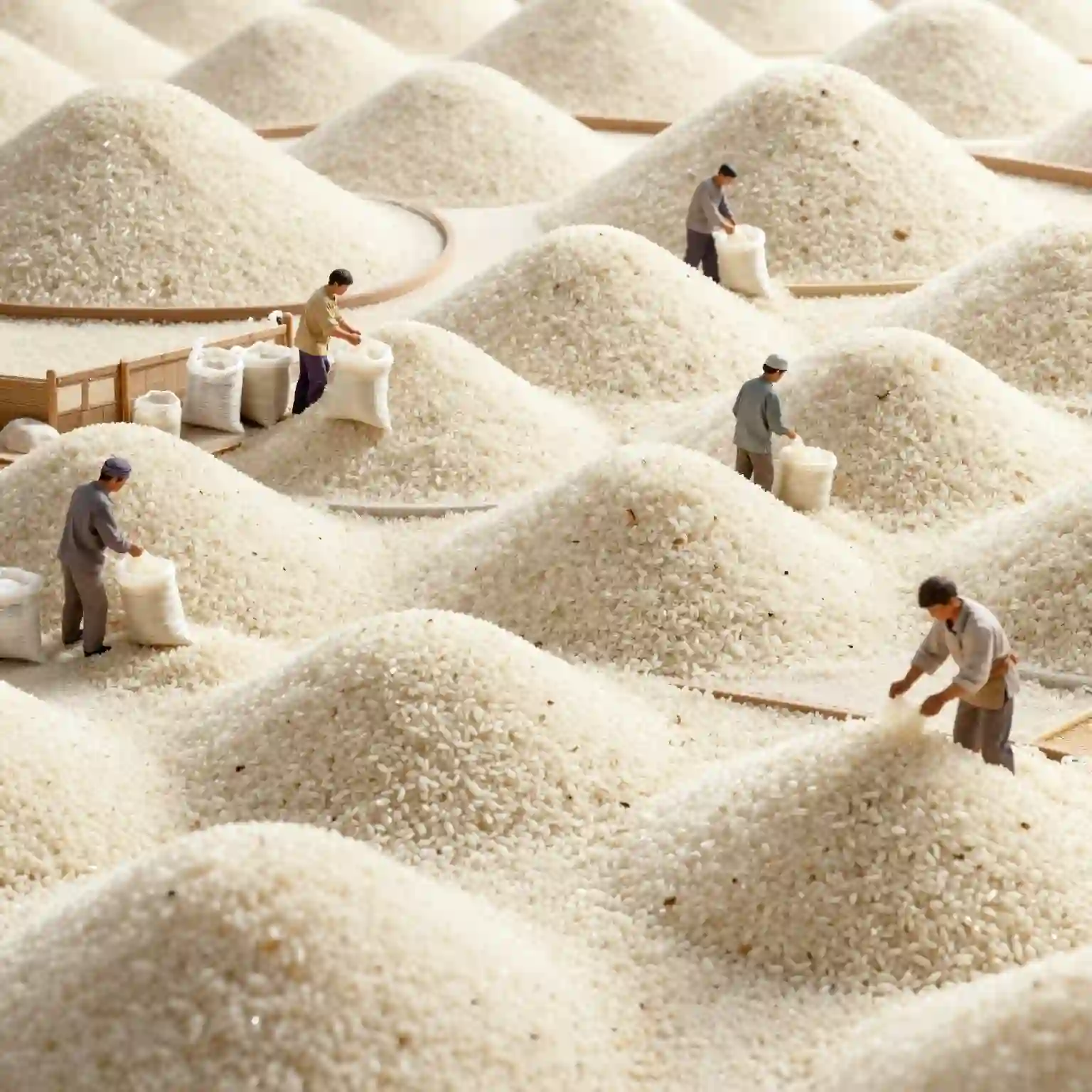
A hyperrealistic macro scene of tiny human figures laboriously working on vast, undulating mounds of rice, evoking a miniature world of agricultural labor.
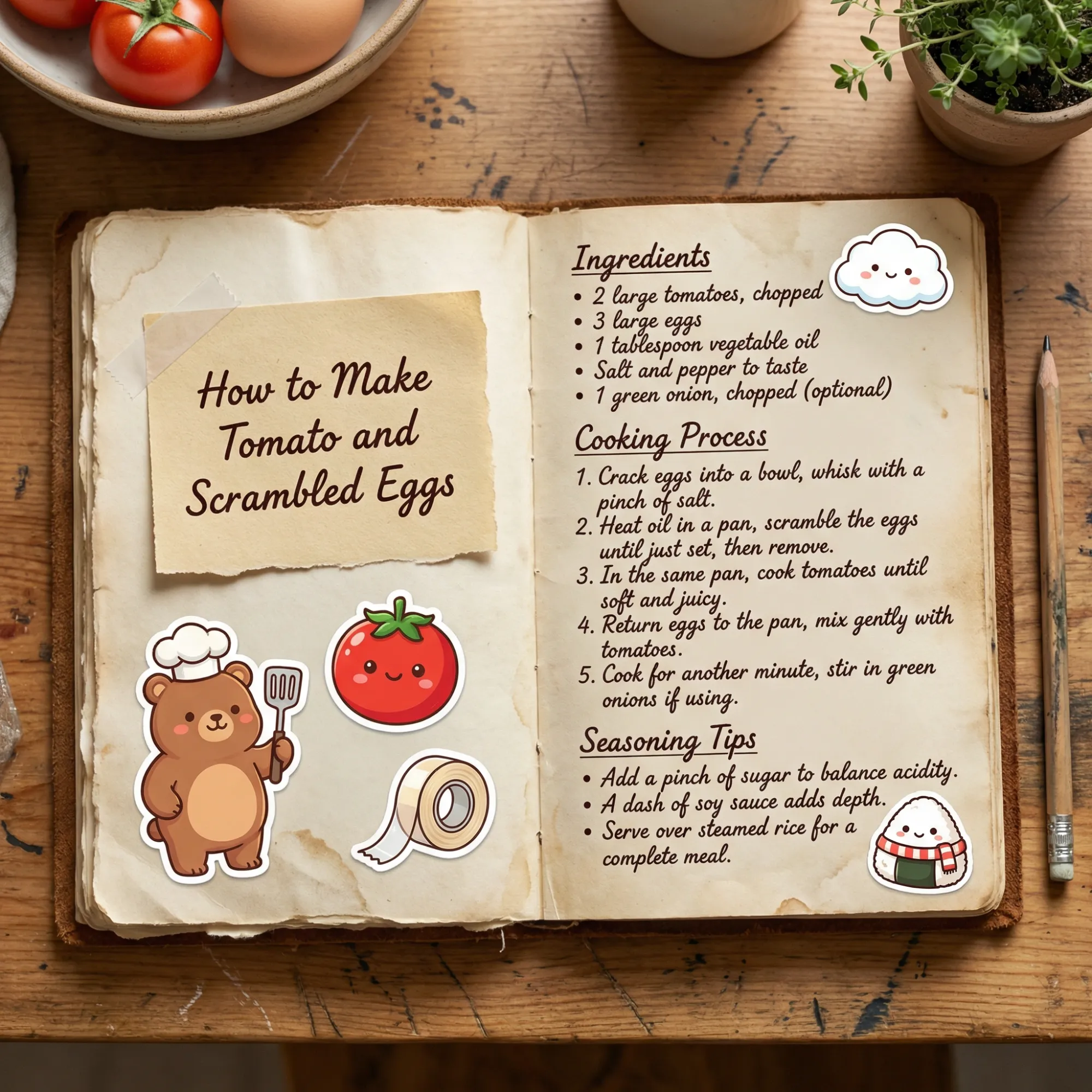
A vintage open recipe notebook displaying "How to Make Tomato and Scrambled Eggs" with handwritten text, ingredient lists, and cute cartoon stickers, set on a wooden table with fresh ingredients.
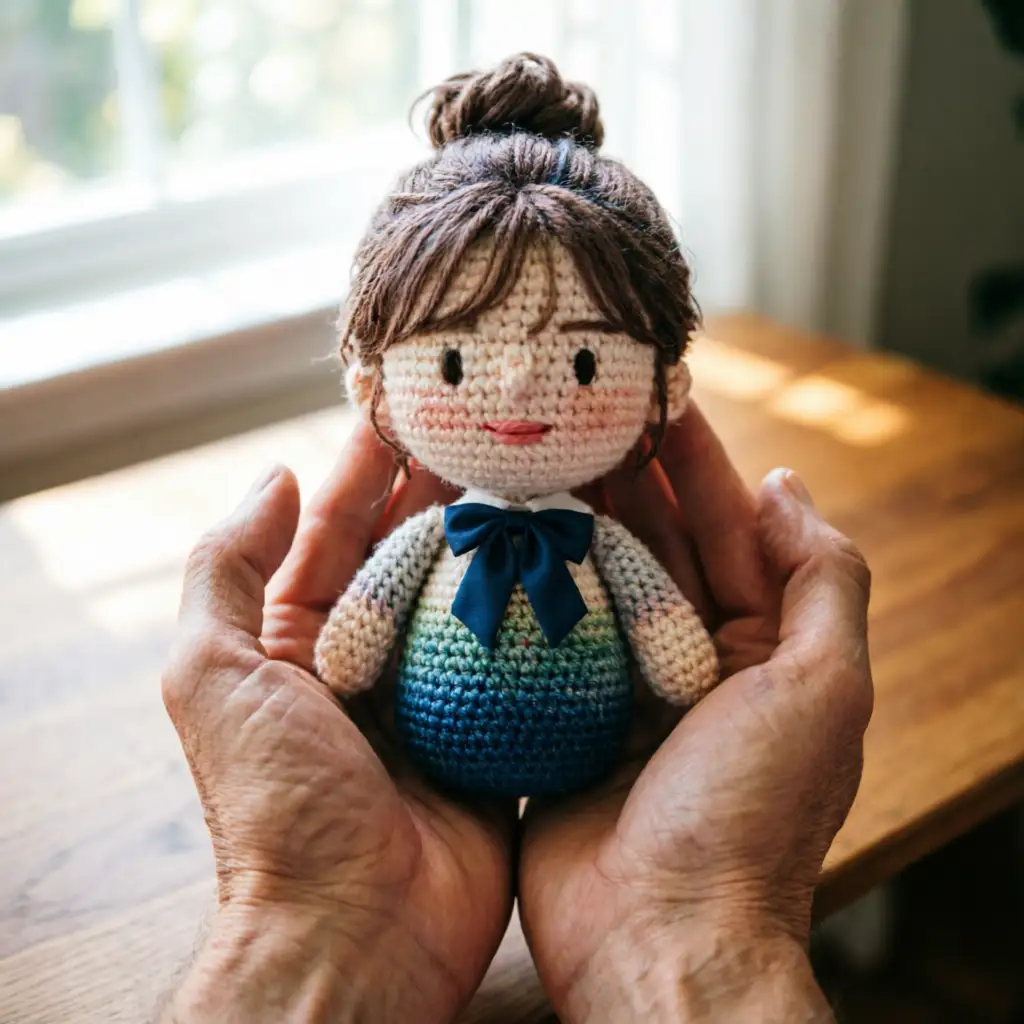
A pair of hands gently holding a detailed, handmade crocheted doll with a blue bow, presented on a light wooden surface.
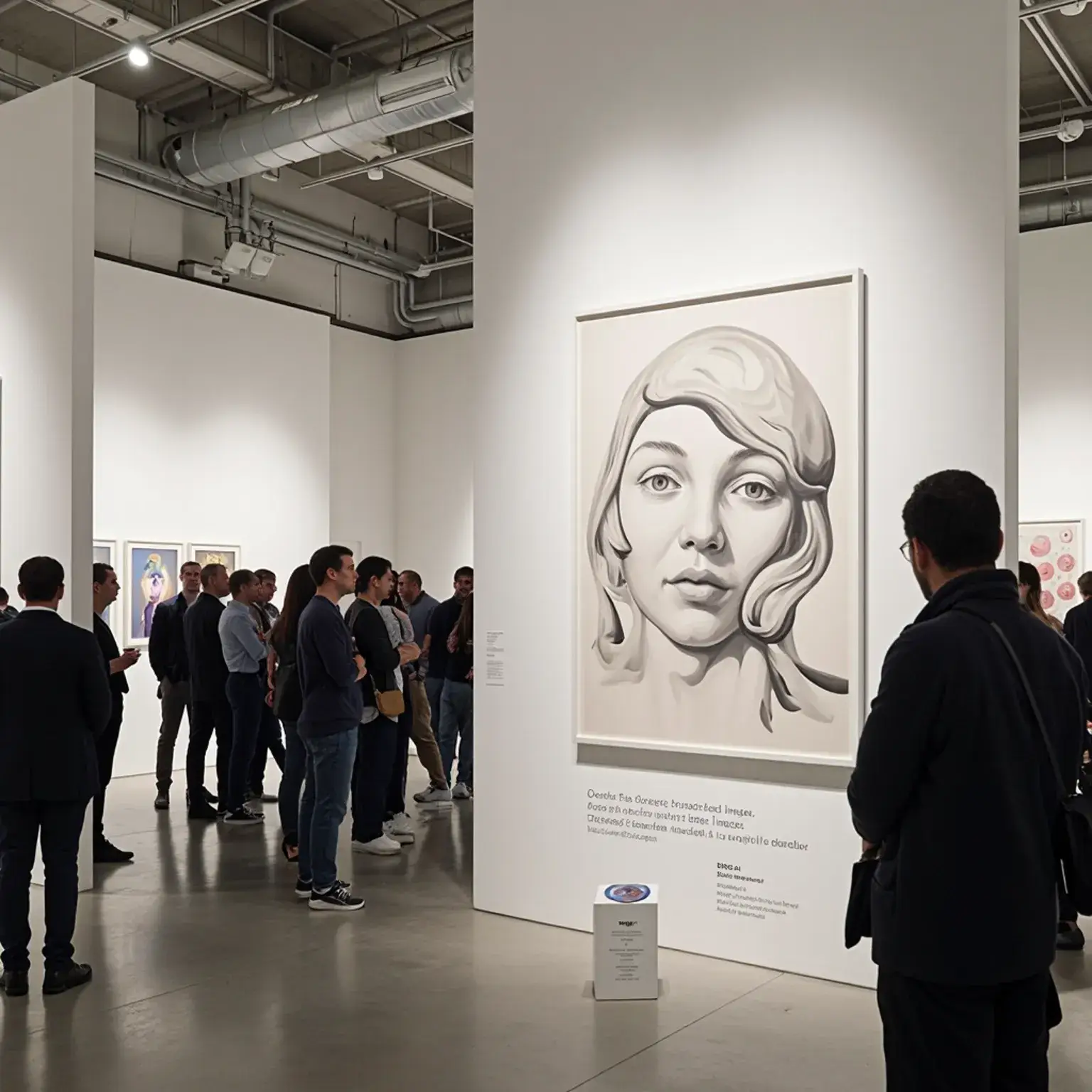
A modern art gallery interior with visitors viewing a large, realistic portrait painting on a white wall.

Professional Typography Meets Native 2K Resolution

Dzine brings you Qwen-Image-2.0, Alibaba's intelligent image foundation model. This Qwen-Image-2.0 AI image generator supports up to 1,000-token instructions for complex layouts. You get pixel-perfect text rendering, native 2K resolution output, and unified generation-editing in one workflow.

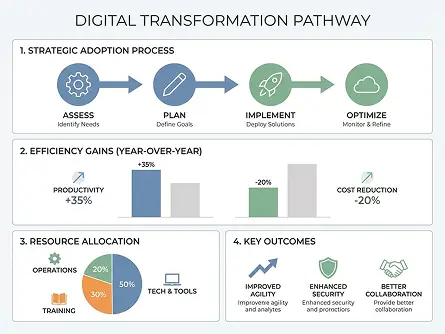
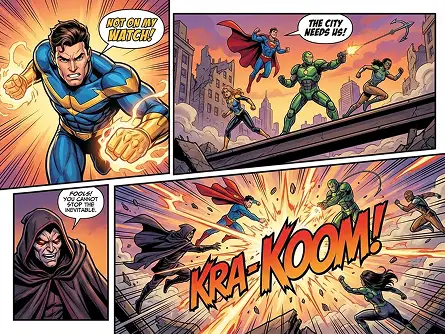
Create presentation slides with accurate typography, design marketing posters with bilingual text, or build infographics with complex data layouts. The Qwen-Image-2.0 AI image editor handles long prompts, renders text without distortion, and maintains consistent quality across edits. From PowerPoint slides to comic panels, every text element stays sharp and readable.

Key Features of Qwen-Image-2.0

  1. Professional Typography Rendering – Qwen-Image-2.0 renders text with pixel-level accuracy across multiple languages and scripts.
  2. Stronger Semantic Adherence – The model understands complex semantic relationships in your prompts. Describe intricate scenes with multiple objects, specify spatial arrangements with precision, or request specific compositional elements.
  3. Director mode with camera control – Text quality reaches professional standards in Qwen-Image-2.0. The model handles alphabetic scripts, Chinese characters, Japanese text, and mixed-language compositions without character degradation.
  4. Extreme Photorealistic Quality – Native 2K resolution support delivers unprecedented detail. The model captures microscopic textures including skin pores, fabric weaves, wood grain patterns, and architectural details.
  5. Unified Generation and Editing Workflow – Qwen-Image-2.0 merges generation and editing into one seamless process. Start with text-to-image creation, then refine specific areas using natural language instructions.
  6. Long-Context Instruction Following – Process prompts up to 1,000 tokens for detailed layout specifications. This extended context window enables complex multi-element compositions.

How to Use Qwen-Image-2.0 on Dzine

Step 1: Enter Your Prompt

Type a detailed description of your desired image. The Qwen-Image-2.0 AI image generator processes instructions up to 1,000 tokens, so include layout specifications, text content, and style preferences.

Step 2: Select Qwen-Image-2.0 Model

Choose Qwen-Image 2.0 from the model dropdown menu. Configure your preferred aspect ratio and resolution settings for optimal output quality.

Step 3: Generate and Download

Click Generate. Qwen-Image-2.0 creates your professional image in seconds. Download the native 2K result and use it for presentations, marketing, or print materials.

Professional Typography Rendering

The Qwen-Image-2.0 AI image generator handles typography challenges other models struggle with. Text appears exactly where you specify it, maintains proper alignment across multi-column layouts, and renders characters without distortion even in dense compositions. Create marketing materials, educational content, or artistic works with confidence that every word will be legible.

PromptOutput Image
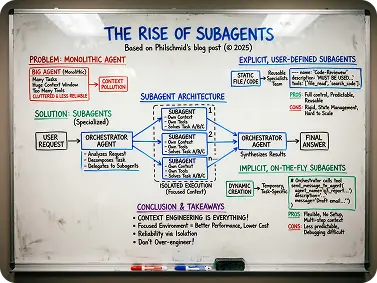
A photograph of a slightly worn white dry-erase board with handwritten content in blue, red, green, purple and black markers, titled “THE RISE OF SUBAGENTS” based on Philschmid’s 2025 blog post; it illustrates the problem of monolithic agents and the solution of specialized subagents, features a central “SUBAGENT ARCHITECTURE” flowchart with an orchestrator agent and isolated subagents, divides into explicit user-defined and implicit on-the-fly subagents with their respective pros and cons, lists conclusion takeaways at the bottom, and has markers and an eraser in the tray with overhead light reflections.output image

Stronger Semantic Adherence

Generate images where the AI image editor maintains logical consistency. Position characters in specific locations, arrange products in deliberate patterns, or create architectural visualizations with accurate perspective. The model interprets your instructions and applies them correctly across the entire composition.

PromptOutput Image
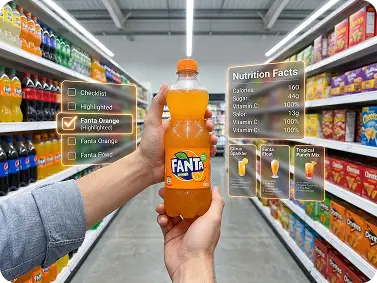
First-person perspective photorealistic image of a pair of hands holding a 500ml Fanta Orange bottle in a brightly lit supermarket aisle lined with beverage shelves, surrounded by floating semi-transparent AR-style info cards: a checklist card highlighting "Fanta Orange (500ml)" and related items, a nutrition facts card listing calories, sugar, and vitamin content, and three recipe cards for Fanta Spritz, Tropical Fanta Slush, and Fanta Sunset Mocktail, all set against a futuristic, tech-infused aesthetic with clean modern UI elements, sharp details, bright supermarket lighting, and a shallow depth of field to focus on the bottle and info cards.output image

Improved Text Rendering

The Qwen-Image-2.0 AI image generator excels at rendering text in challenging contexts. Generate watermarked photographs with clear copyright notices, design product labels with ingredient lists, or create educational posters with detailed explanations. Text remains crisp and legible regardless of image complexity or background patterns.

PromptOutput Image
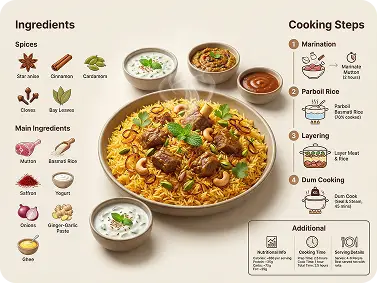
Professional food infographic, mutton biryani in center, golden rice with mutton, cashews, mint, coriander, served with raita and condiments. Left: "Ingredients" with spices (star anise, cinnamon, cardamom, cloves, bay leaves) and main ingredients (mutton, basmati rice, saffron, yogurt, onions, ginger-garlic paste, ghee) with icons. Right: "Cooking Steps" (Marination, Parboil Rice, Layering, Dum Cooking) with icons. Bottom right: "Additional" info. Modern clean design, warm tones, high resolution, light beige background, clear typography.output image

Unified Generation and Editing Workflow

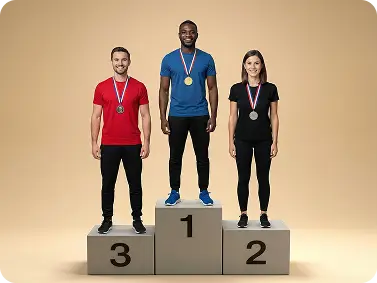
Qwen-Image-2.0 merges generation and editing into one seamless process. Start with text-to-image creation, then refine specific areas using natural language instructions. No need to switch between different tools or export-import workflows.

PromptImage 1Image 2Output Image
Have the three people in @Image 1 stand on the platform in @Image 2.imageoutput imageoutput image

Long-Context Instruction Following

Process prompts up to 1,000 tokens for detailed layout specifications. This extended context window enables complex multi-element compositions. Describe complete presentation slides, specify exact text content, define color schemes, and set precise spatial arrangements all in one prompt.

PromptOutput Image
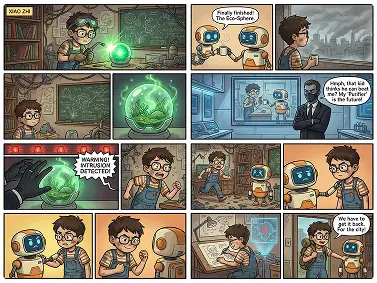
A 9-panel comic strip in a vibrant, cartoonish retro pixel-art style, following a young boy inventor and his orange-and-white robot companion as they create a glowing green orb in a cluttered workshop, place it in a glass tank to grow lush greenery, face a corporate agent monitoring them, encounter a hacking-induced corruption warning, flee together, resolve to fix the issue, and prepare to save the city, with detailed linework, warm color palettes, and expressive character emotions.output image

Usages of Qwen-Image-2.0

Qwen-Image-2.0 AI image generator handles diverse creative needs. From detailed product shots to character continuity, this tool adapts to professional workflows while maintaining consistent quality and precise control.

Presentation Slides
Marketing Posters
Infographics
Comic Panels
Product Labels
Educational Diagrams
Business-Ready Slide Designs

Business-Ready Slide Designs

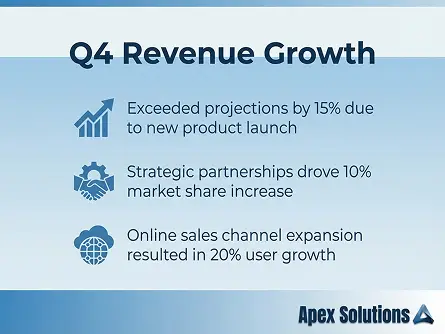
The Qwen-Image-2.0 AI image generator creates professional presentation slides with accurate typography, clean layouts, and consistent branding. Generate title slides, data visualization slides, or concept diagrams that match corporate standards without design software.

Why Try Qwen-Image-2.0 on Dzine AI?

Advanced AI Models

Advanced AI Models

Adcaned AI video and image models such as Google Veo 3.1 and Hailuo 2.3 to deliver high-quality, varied video content that makes your work truly distinctive.

One Click to Generate

One Click to Generate

Produce polished visuals instantly, apply styles auto-magically, or refine designs without pro skills.

Free Trial

Free Trial

Access core AI tools for free trial, experiment with creations freely, or test features before committing.

High Quality Results Export

High Quality Results Export

Export high-res visuals in multiple formats, preserve every fine detail, or use them for print & digital.

Watermark Free

Watermark Free

Get clean, watermark-free outputs, use visuals for commercial campaigns, or share them seamlessly.

Online Platform No Donwloading

Online Platform No Donwloading

Create on the web directly, skip software installation, or design anytime anywhere on any device.

What Our Users Said

Typography Quality Transformed Our Workflow

We use Qwen-Image 2.0 for all our client presentation decks now. The text rendering quality is remarkable - every slide has perfect alignment and readable typography at any size. What used to take hours in PowerPoint now happens in minutes, and the visual quality exceeds our previous standards.

Jennifer MartinezMarketing Director

Perfect for Multilingual Content

Creating bilingual marketing materials was always challenging until we found the Qwen-Image-2.0 AI image generator on Dzine. Chinese and English text render perfectly side-by-side with consistent spacing and alignment. Our international campaigns now maintain brand quality across all languages.

David WongCreative Director

Infographics Without Design Software

As a data analyst, I needed to create professional infographics without learning complex design tools. Qwen-Image-2.0 handles everything - I describe the layout, provide the data, and get publication-ready results. The text clarity and layout precision are exactly what I need for client reports.

Rachel ThompsonData Analyst

FAQ

What is Qwen-Image-2.0?

Qwen-Image-2.0 is Alibaba's advanced image foundation model available on Dzine. This Qwen-Image-2.0 AI image generator combines professional typography rendering, native 2K resolution support, and unified generation-editing capabilities. The model processes prompts up to 1,000 tokens, enabling complex layout specifications for presentations, posters, and infographics.

How does Qwen-Image-2.0 handle text rendering?

The Qwen-Image-2.0 AI image editor renders text with pixel-level accuracy across multiple languages. It handles Chinese characters, English letters, Japanese script, and mixed-language compositions without distortion. Typography appears sharp and readable in challenging contexts including comic dialogue boxes, product labels, presentation slides, and watermarked photographs.

What makes Qwen-Image-2.0 different from other AI image generators?

Qwen-Image 2.0 stands out through three key capabilities. First, it supports 1,000-token instructions for detailed layout control. Second, native 2K resolution delivers professional-quality output without upscaling. Third, unified generation-editing workflow eliminates tool-switching. Other models struggle with accurate text rendering and complex typographic layouts that this Qwen-Image-2.0 AI image generator handles easily.

Can I use Qwen-Image-2.0 for commercial projects?

Yes, images created with Qwen-Image-2.0 on Dzine work for commercial applications. Use outputs for marketing campaigns, business presentations, product packaging, educational materials, social media content, and print publications. The native 2K resolution ensures professional quality across digital and physical media.

What resolution does Qwen-Image-2.0 support?

Qwen-Image-2.0 generates native 2K images at 2048×2048 pixels. This resolution provides sufficient detail for professional applications including print materials, large displays, and high-quality digital content. The model produces sharp textures showing skin pores, fabric weaves, and architectural details without post-processing upscaling.

How fast is image generation with Qwen-Image-2.0?

The 7B lightweight architecture enables rapid generation. Create professional 2K images in seconds using the Qwen-Image-2.0 AI image generator. This speed supports iterative workflows where you need multiple variations or quick turnaround for client presentations. Faster generation means more creative experimentation within project timelines.

What types of projects work best with Qwen-Image-2.0?

The Qwen-Image-2.0 AI image editor excels at projects requiring accurate typography. Create business presentations, marketing posters, educational infographics, comic strips, product labels, and technical diagrams. Any project needing readable text, precise layouts, or professional typography quality benefits from this model's specialized capabilities. The unified editing workflow also suits projects requiring iterative refinements.