

Seedance 2.0

Create professional videos from images, videos, audio, and text. Dzine integrates ByteDance Seedance 2.0 to deliver multimodal video generation with native audio, character consistency, and precise motion control. Try it now.

Click or drag here to upload images

Uploading via drag and drop

Try Seedance 2.0 with one of these

Master Multimodal Video Creation with Seedance 2.0

Dzine brings you Seedance 2.0, ByteDance's advanced AI video generator. This Seedance 2.0 AI video generator processes images, videos, audio, and text simultaneously. You get 4-15s video with synchronized audio, character consistency, and camera control that matches professional production standards.

Our platform makes the Seedance 2.0 Pro video generator accessible through an intuitive workflow. Create product demonstrations, social media content with beat-synced motion, or narrative sequences with stable characters. Seedance 2.0 handles multi-shot storytelling while maintaining lighting, composition, and visual style across all scenes. The model supports up to 12 reference files per project, giving you complete creative control over every aspect of your video.

How to Use Seedance 2.0 on Dzine

Step 1: Upload Image and Prompt

Navigate to AI Video tool on Dzine. Upload reference images, videos, or audio files. Add your text prompt describing the desired video content.

Step 2: Select Seedance 1.5 Pro

In the model selection menu, choose Seedance 2.0. Configure your preferred resolution, duration, and aspect ratio settings.

Step 3: Generate the Video

Click Generate. The AI will process your inputs, mapping the motion to your character. Within moments, you will have a high-quality video ready to download or edit further.

Multimodal Input for Complete Creative Control

Combine images, videos, audio, and text in a single project. Seedance 2.0 core features include support for 9 images, 3 videos, and 3 audio clips. Reference a photo for character design, a video for camera movement, and audio for rhythm. The model analyzes all inputs together, extracting style from images, motion from videos, and timing from audio. This multimodal approach gives you precise control over every creative element without complex prompting.

PromptImage 1Output Video
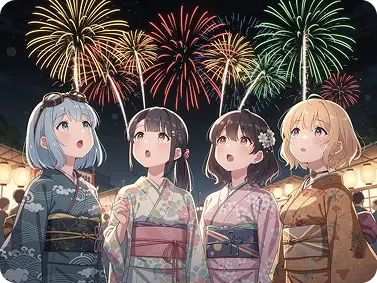
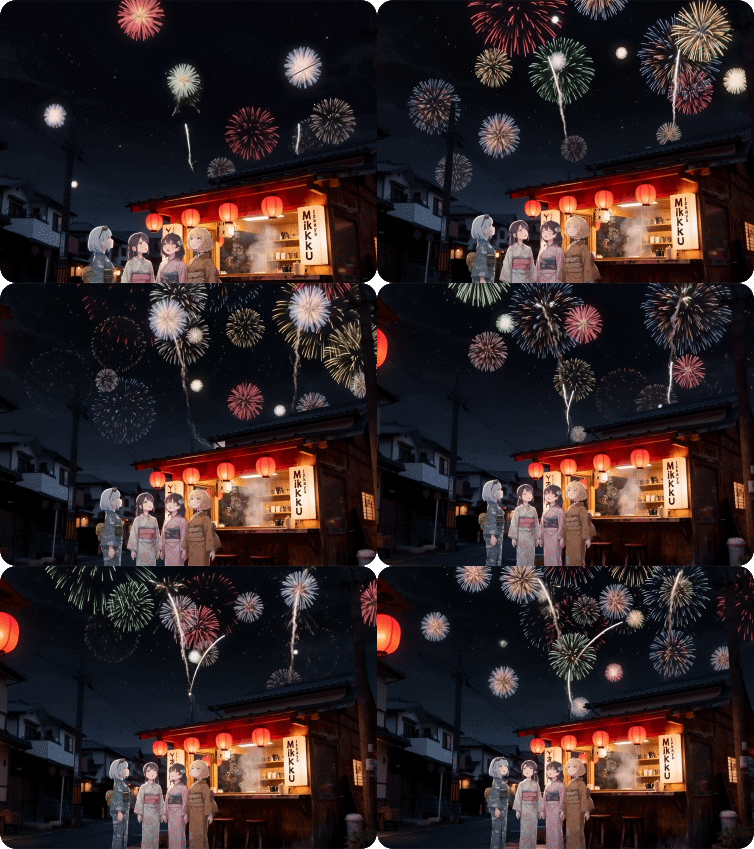
Four girls in @Image 1 in kimonos watch fireworks in front of a snack shop.image 1output video

Precise Reference Capability for Motion and Style

Upload reference materials and Seedance 2.0 replicates exactly what you need. Reference images restore composition and character details with pixel-level accuracy. Reference videos capture camera movements, complex choreography, and creative effects. The Seedance 2.0 Pro video generator understands which elements to extract from each file. Recreate trending video templates, replicate film sequences, or apply specific visual effects by simply uploading examples. No detailed prompting required.

PromptImage 1Image 2Image 3Image 4Video 1Output Video
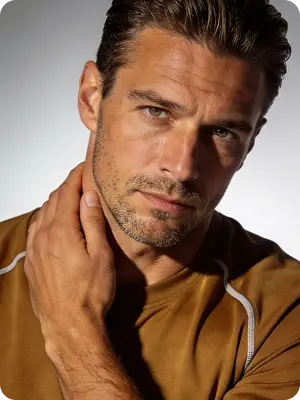
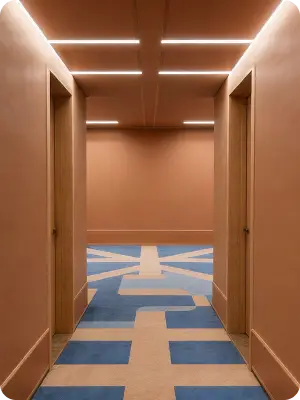
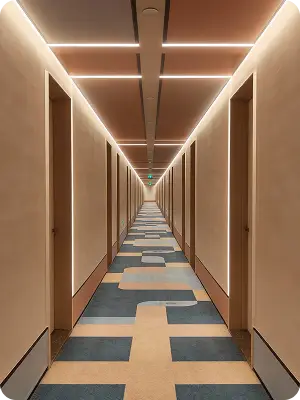
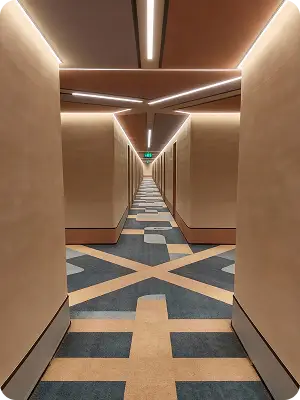
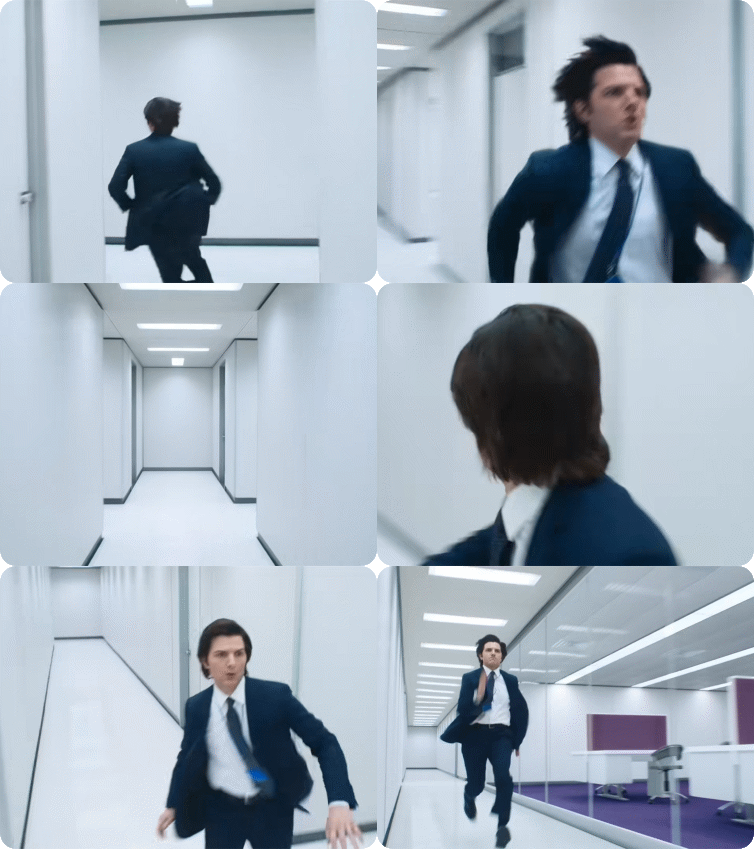
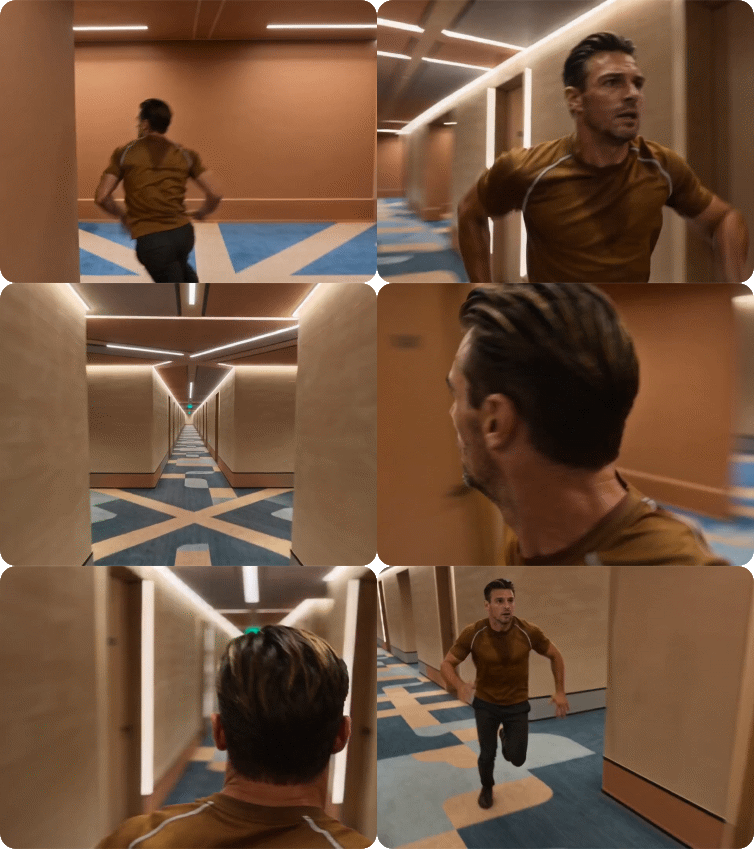
Referring to the man in @Image 1, in the corridor of @Image 2, all the camera movements and facial expressions are completely referenced from @Video 1. The camera follows the protagonist as he runs around the corner in @Image 2. Then, in the long corridor of @Image 3, the camera moves from a following view from behind, using a low angle to circle around to the protagonist's front: the protagonist is panting, and the camera follows his perspective as he looks around, referencing the rapid left-right circling camera movements in @Video 1 to showcase the scene. The camera then pulls back to the scene in @Image 4, continuing to follow the protagonist's running from a side angle.image 1image 2image 3image 4video 1output video

Edit Video with Natural Language Control

Describe your creative vision in plain language. Seedance 2.0 new features include advanced natural language understanding. Write "slow zoom on character's face" or "camera orbits around the product" and the model executes precisely. Combine text instructions with reference files using @ mentions. The AI interprets context, handles physics accurately, and maintains proper momentum throughout motion sequences. Create professional videos without technical expertise.

PromptImage 1Image 2Video 1Output Video
Add the characters from @Image 1 and @Image 2 to @Video 1 to enrich the storyline.image 1image 2video 1output video

Seamless Multi-Camera Storytelling

Generate narrative sequences with multiple camera angles and scene transitions. How to use Seedance 2.0 for multi-shot content? Upload character references and write your story. The model maintains character identity across shots, handles lighting changes naturally, and creates smooth transitions between scenes.

PromptImage 1Image 2Image 3Output Video
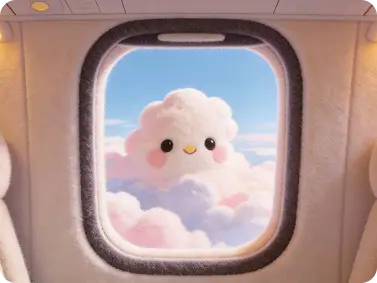
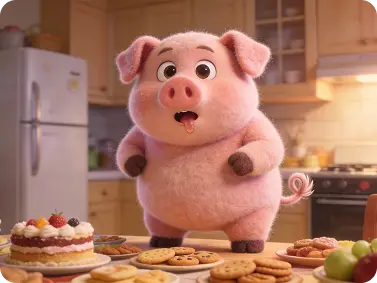
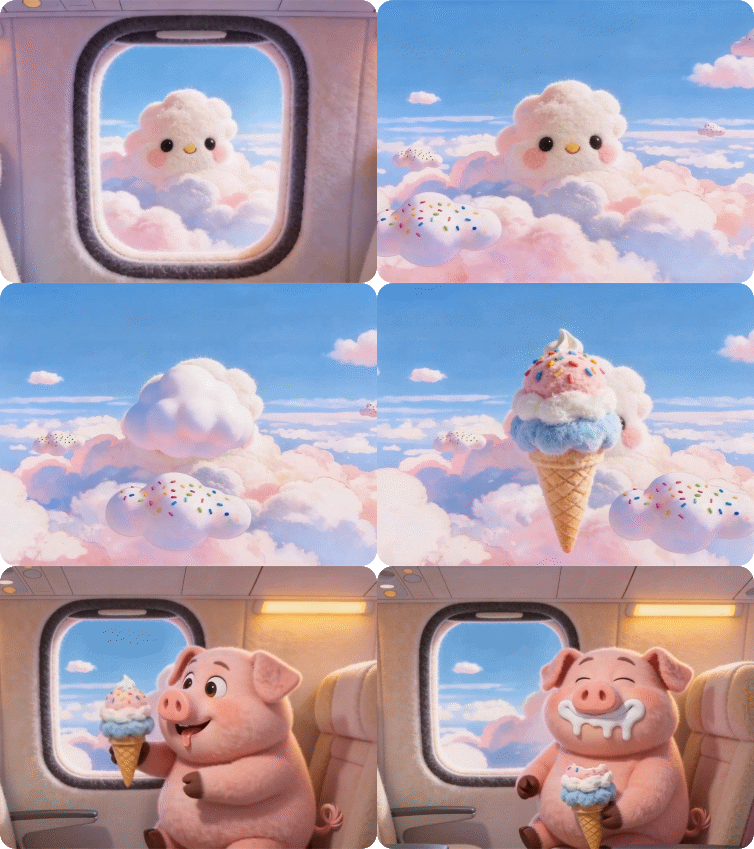
The video begins with @Image1, zooming in to the view outside the airplane window. Clusters of clouds drift slowly into the frame, one of which, adorned with colorful jelly beans, remains centered. It then gradually transforms into the ice cream shown in @Image2. The camera zooms out back into the cabin, where @Image3, sitting by the window, reaches in the ice cream, takes a bite, and gets cream all over his lips, a sweet smile spreading across his face.image 1image 2image 3output video

Superior Character and Scene Consistency

Maintain perfect visual continuity throughout your videos. Seedance 2.0 user case studies show exceptional character stability. Facial features, clothing details, and body proportions remain identical across every frame. Background elements stay stable during camera movement. Text overlays preserve font styles and positioning. The model prevents common AI video problems like character drift, flickering faces, and style inconsistency. Create professional content with reliable, repeatable results.

PromptImage 1Output Video
The man @Image 1 walks wearily down the hallway after get off work, his pace slowing until he stops at his front door. A close-up of his face shows him taking a deep breath, adjusting his emotions, and appearing relaxed. Then, a close-up shows him finding his keys, inserting them into the lock, and entering his home. His young daughter and pet dog joyfully run to greet him with hugs. The interior is very warm and inviting, with natural conversation throughout.Image 1output video

Empowering Creators Across Every Visual Medium

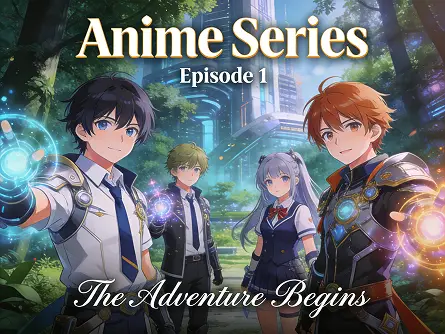
Seedance 2.0 transforms text descriptions into professional-quality video content across multiple genres. Whether you're crafting an indie music video, developing a short film concept, or producing your own anime series, Seedance provides the AI-powered tools to turn your creative vision into reality. From rapid prototyping to final production, our platform democratizes video creation for artists, filmmakers, and storytellers everywhere.

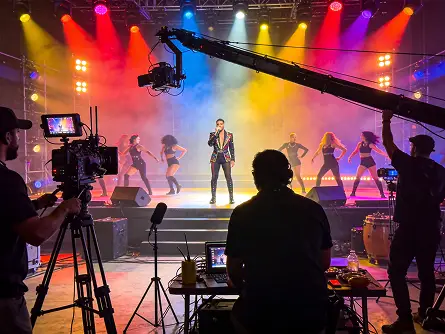
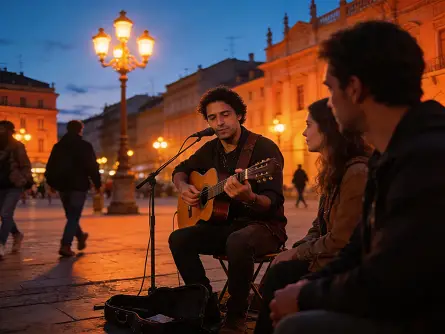
MV Production
Short Film
Anime Series
From Concept to Screen: AI-Powered Music Video Creation

From Concept to Screen: AI-Powered Music Video Creation

Transform your music into captivating visuals with Seedance 2.0. Simply describe your artistic vision—"neon-lit cyberpunk cityscape with dancing silhouettes" or "dreamy watercolor forest with floating lanterns"—and watch as AI generates stunning MV sequences that perfectly sync with your beat. Ideal for independent musicians, content creators, and music producers looking to create professional-quality music videos without expensive production costs.

Why Try Seedance 2.0 on Dzine AI?

Multi-Modal Input

Multi-Modal Input

Upload up to 9 images, 3 videos (15s total), and 3 audio files. Combine text, images, videos, and audio freely to express your creative vision with unprecedented flexibility.

Advanced Motion Replication

Advanced Motion Replication

pload reference videos and Seedance 2.0 replicates complex choreography, action sequences, and camera movements precisely. The model captures timing, momentum, and spatial relationships from source material.

Video Extension & Editing

Video Extension & Editing

Smoothly extend existing videos, merge multiple clips, or edit specific segments. Replace characters, add elements, or modify actions while preserving the rest of your content.

Multi-Shot Consistency

Multi-Shot Consistency

Seedance 2.0 core features ensure characters maintain identical appearance across camera angles and scene changes. Facial features, clothing, and accessories stay stable from first frame to last without drift or flickering.

Flexible Duration Options

Flexible Duration Options

Generate videos from 4 to 15 seconds with support for multiple aspect ratios including 16:9, 9:16, 4:3, and 1:1. Extend existing videos or create continuous sequences with natural scene connections.

Watermark Free

Watermark Free

Get clean, watermark-free outputs, use visuals for commercial campaigns, or share them seamlessly.

What Our Users Said

Seedance 2.0 Transformed Our Content Workflow

How to use Seedance 2.0 became my team's most-asked question. We create daily social media content across three platforms. The multimodal input changed everything. I upload character images once and generate dozens of variations with different prompts. Audio synchronization means our music videos hit every beat perfectly.

Ryan MartinezSocial Media Manager

Perfect for Product Marketing Videos

We needed consistent product videos for our e-commerce platform. Seedance 2.0 keeps every product shot perfectly lit and styled while adding dynamic camera movements. The Seedance 2.0 Pro video generator handles our brand guidelines automatically. Processing speed lets us test multiple creative directions before campaigns launch.

Jennifer WuE-commerce Marketing Director

Motion Replication is a Game Changer

The reference capability in Seedance 2.0 user case work blew my mind. I uploaded a film clip and the model replicated camera movement and pacing perfectly. Character consistency across shots means I can previsualize entire scenes without a crew. This tool makes professional storytelling accessible to independent creators.

Michael TorresIndependent Filmmaker

FAQ

What is Seedance 2.0?

Seedance 2.0 is ByteDance's advanced multimodal AI video generator available on Dzine. The Seedance 2.0 AI video generator accepts images, videos, audio, and text as input to create professional videos with native audio synchronization, character consistency, and 2K resolution output.

How to use Seedance 2.0 on Dzine?

Using Seedance 2.0 on Dzine takes three steps. First, upload reference materials and enter your text prompt. Second, select Seedance 2.0 or Seedance 2.0 Pro from the model menu and configure settings. Third, click generate and download your video with synchronized audio. The process completes in seconds.

What are Seedance 2.0 core features?

Seedance 2.0 core features include multimodal input support for up to 12 files, native audio generation with lip-sync, 2K resolution output, superior character consistency, and precise motion replication. The model handles multi-shot storytelling with seamless transitions and maintains visual coherence across complex scenes.

What are Seedance 2.0 new features compared to previous versions?

Seedance 2.0 new features include enhanced multimodal reference capability, improved character consistency across shots, 30% faster processing speed, better natural language understanding, and native audio generation. The model supports more reference files simultaneously and handles complex camera movements with greater precision than earlier versions.

Can I use Seedance 2.0 for commercial projects?

Yes, videos created with the Seedance 2.0 Pro video generator on Dzine can be used for commercial purposes. This includes product marketing, advertising campaigns, social media content, educational materials, and brand storytelling. The 2K resolution output is suitable for professional applications across digital and broadcast platforms.

What makes Seedance 2.0 different from other AI video generators?

Seedance 2.0 stands out through multimodal input support, native audio generation, and reference capability. While other tools rely on text prompts, Seedance 2.0 processes images, videos, and audio together. This creates precise control over motion, style, and rhythm. Character consistency across shots surpasses most competing models.

What are common Seedance 2.0 user case applications?

Common Seedance 2.0 user case applications include social media content creation, product demonstrations, marketing videos, educational content, and short film production. Creators use it for music videos with beat synchronization, e-commerce product showcases, training materials, and narrative storytelling with multiple camera angles.