Kling 3.0 vs 2.6: Real Test & Results on Dzine AI
Kling AI has officially launched its Kling 3.0 model series on February 5, 2026, marking a revolutionary leap in AI video generation technology. This comprehensive comparison review puts Kling 3.0 head-to-head against its predecessor, Kling 2.6, to help you understand which model best suits your needs.
In this in-depth review, we’ll evaluate both models across six critical dimensions:
- Text to Video – How well each model generates cinematic content from text prompts.
- Image to Video – Animation quality and motion control from static images.
- References to Video – Character consistency and element tracking capabilities.
- Start/End Frames – Temporal control and scene continuity.
- Motion Control – Precision in movement replication and camera dynamics.
- AI Avatar – Human character generation and lip-sync accuracy.
What’s New in Kling 3.0
What’s new in Kling 3.0? The following provides details:
1. Multi-Shot Storyboarding: Up to 6 camera cuts in a single generation with customizable duration, shot size, and camera movement per shot.
2. Extended Video Duration: 15-second videos with custom duration control (3-15s).
3. Native Audio-Visual Sync: Multi-language support English, Chinese, Japanese, Korean, Spanish (with American, British, Indian accents); Three-person dialogue with accurate lip-sync and voice attribution.
4. Elements 3.0 (Character Consistency): Upload 3-8 second reference videos to lock character appearance and voice. Voice binding and multiple-angle references for improved 3D understanding.
5. Image 3.0 Upgrades: Native 4K output without upscaling; Visual Chain-of-Thought reasoning for better scene composition; Image Series Mode for consistent storyboard sequences.
6. Precise Text Rendering: Logos, titles, and text remain clear and stable throughout motion sequences.
Key Features of Kling 2.6
Here we also list the key features of Kling 2.6.
1. Multiple Aspect Ratios: Supports 16:9, 9:16, and 1:1 aspect ratios across various platforms.
2. Enhanced Prompt Adherence: Better prompt understanding with more accurate translation of creative direction and consistent character details.
3. Motion Control: Upload a reference video to accurately replicate and transfer motion patterns to entirely new subjects and scenes.
4. Multi-Format Audio Support: Produces natural-sounding speech (dialogue, narration), singing and rap (vocal melodic output), and environmental ambience with non-speech sound effects.
5. Two Model Variants: Standard: HD output, faster generation; Pro: Full HD output, enhanced cinematic quality, and refined motion dynamics.
Kling 3.0 vs Kling 2.6
This part compares Kling 3.0 and Kling 2.6 across different aspects. Keep on reading.
Quick Chart – Kling 3.0 vs Kling 2.6
| Features | Kling 3.0 | Kling 2.6 |
| Text-to-Video | ✓ | ✓ |
| Image-to-Video | ✓ | ✓ |
| Original Audio Sync | ✓ | ✓ |
| Audio-driven Video | ✓ | ✓ |
| Smart Storyboarding | ✓ | ✗ |
| Audio + Subject Reference | ✓ | ✗ |
| 3+ Person Finger Tracking | ✓ | ✗ |
| Multiple Languages (Chinese, English, Japanese, Korean, Spanish) | ✓ | ✗ |
| Dialects & Accents | ✓ | ✗ |
| Generate 15-second Videos | ✓ | ✗ |
| Custom Duration | ✓ | ✗ |
Kling 3.0 vs 2.6 – Text to Video
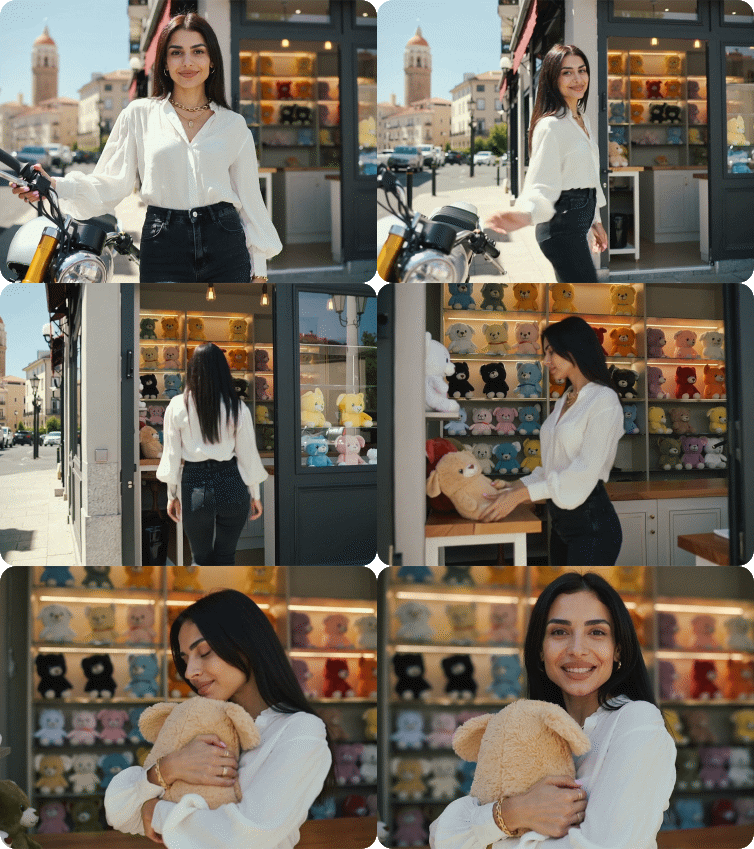
Prompt: Shot 1: A medium shot of a stylish woman standing next to a motorcycle in Istanbul, with the iconic Galata Tower visible in the background. The camera slowly zooms in on her face. She looks directly at the camera, smiles, and says: “Hey! You have to see this shop I found, come with me.” Shot 2: A tracking shot following the woman from behind as she walks away from the motorcycle and enters a nearby cozy shop. The shop is filled with shelves of colorful plush toys and bright lights. Shot 3: Inside the shop, a medium close-up of the woman holding a cute colorful plush toy. She hugs the toy tightly, looks at it with adoration, and says: “Oh my god, I love this one! It is so fluffy and cute.”
| Kling 3.0 | Kling 2.6 |
 |  |
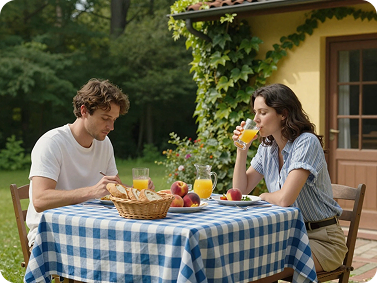
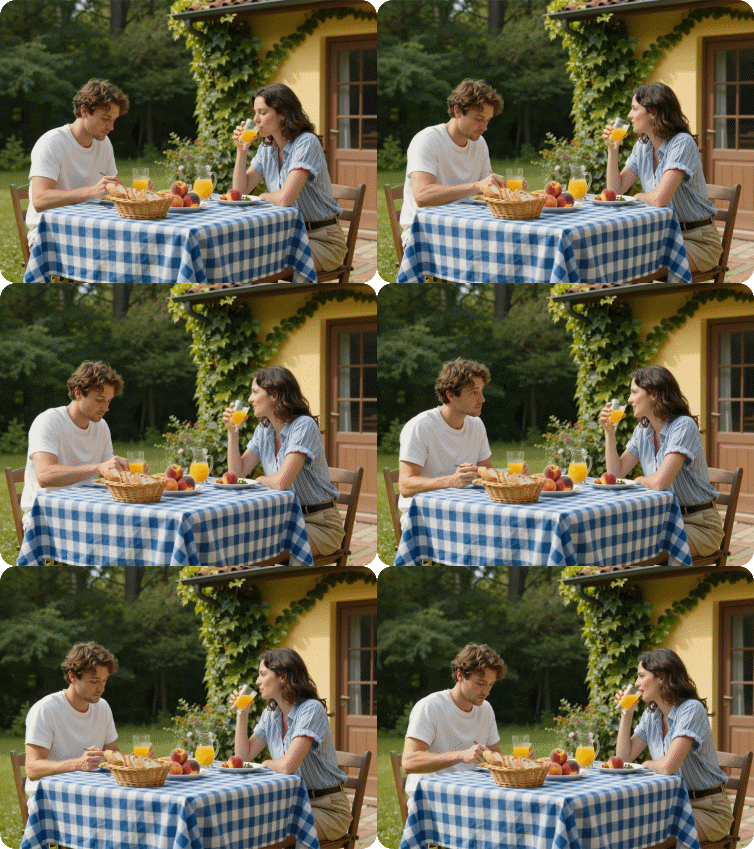
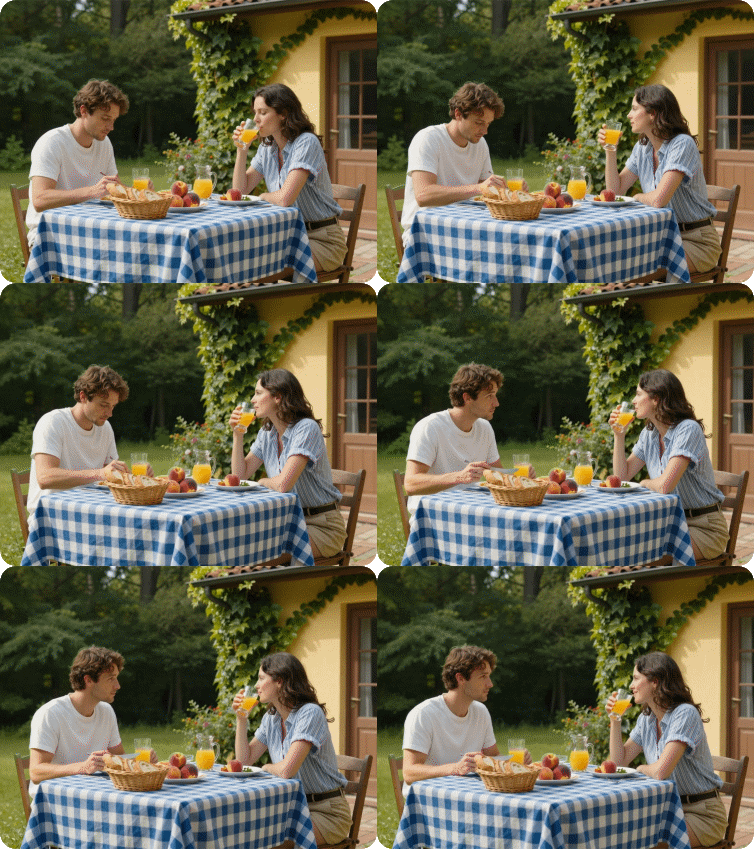
Kling 3.0 vs 2.6 – Image to Video
Input Image:
Output Video:
| Kling 3.0 | Kling 2.6 |
 |  |
Kling 3.0 vs 2.6 – References to Video
| Kling 3.0 | Kling 2.6 |
 |  |
Kling 3.0 vs 2.6 – Start/End Frames to Video
| Kling 3.0 | Kling 2.6 |
 |  |
Kling 3.0 vs 2.6 – Motion Control
Kling 3.0:
| Original Video | Output Video |
 |  |
Kling 2.6:
| Kling 3.0 | Kling 2.6 |
| |
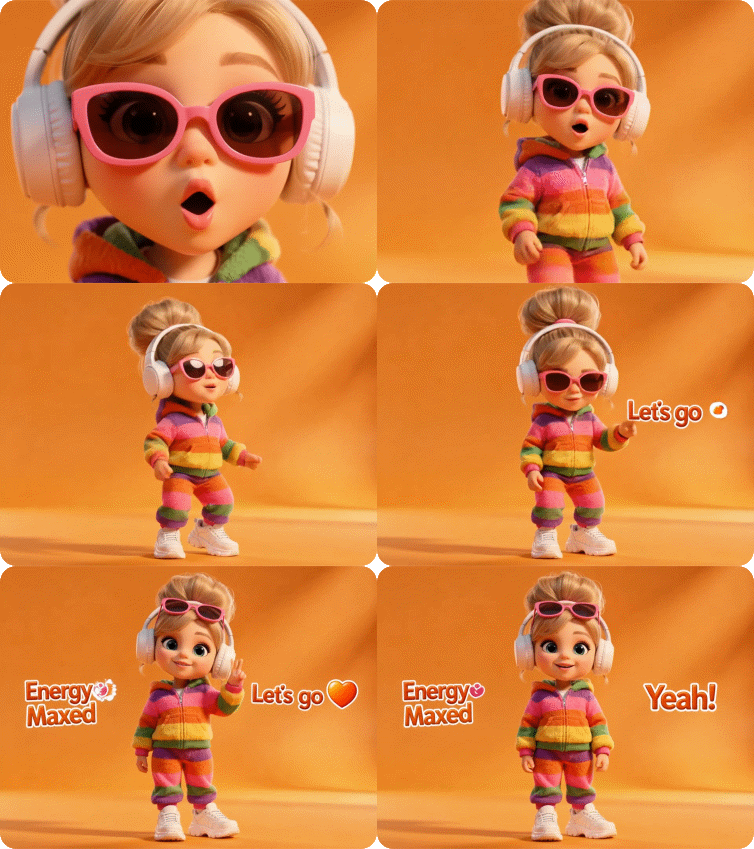
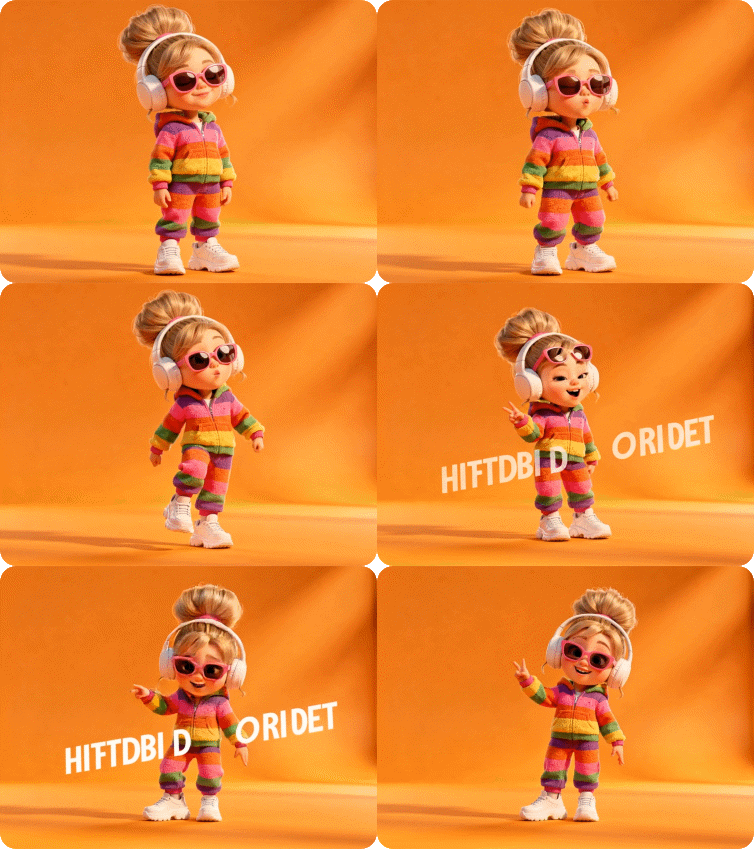
Kling 3.0 vs 2.6 – AI Avatar
| Kling 3.0 | Kling 2.6 |
 |  |
How to Use Kling 3.0 AI Video Generator on Dzine
It is important to note that the choice between these two models is not always an “either/or” proposition. Platforms like Dzine AI have emerged as unified creative hubs, allowing users to use various video and image models such as Kling 3.0, Kling 2.6, Hailuo 2.3, Nano Banana Pro, etc.
Now, let’s see how to use Kling 3.0 on Dzine AI.

Step 1: Launch the AI Video tool on Dzine AI.
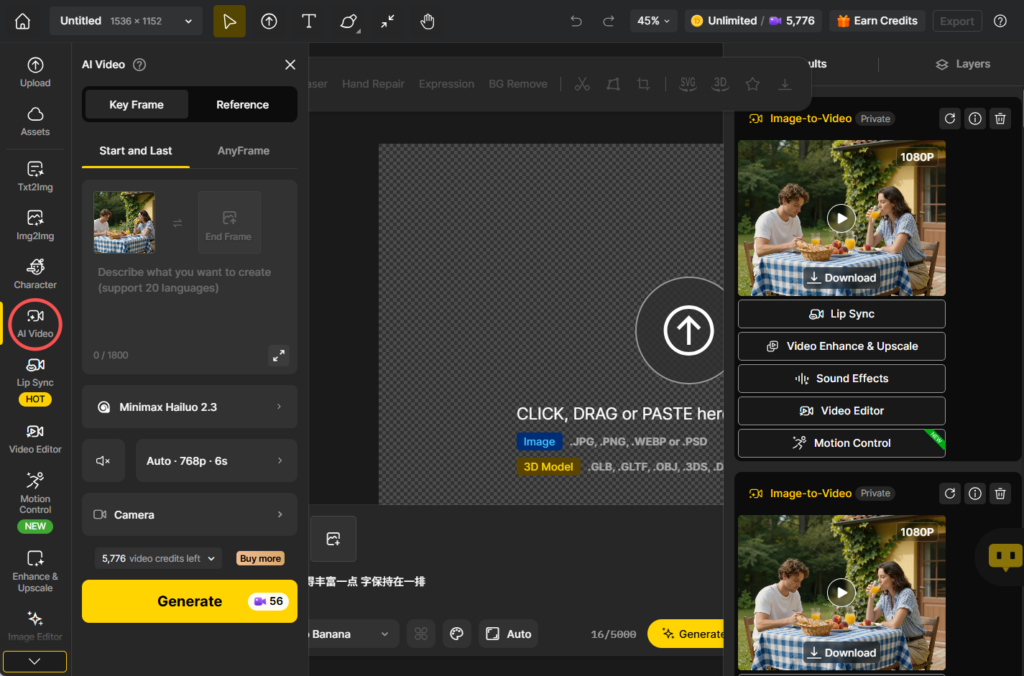
Step 2: Upload the start/end frame images or reference images and enter the prompt. Then, click Generate.
Step 3: Choose Kling 3.0 as the video model. Then, click the Generate button to start the process.
Step 4: At last, you can preview the generated video and click Download to save it.
Final Words: Which Model Should You Choose?
After extensive testing across text-to-video, image-to-video, character consistency, motion control, and AI avatar capabilities, both Kling 3.0 and Kling 2.6 prove to be powerful AI video generation tools – but they serve different creative needs.
The verdict? Kling 3.0 represents the future of AI filmmaking with its revolutionary multi-shot capabilities and unified multimodal architecture. However, Kling 2.6’s motion control feature remains unmatched for creators who need to accurately transfer movement patterns to new subjects.
For professional filmmakers, agencies, and content studios looking to push creative boundaries, Kling 3.0 is the clear winner. For marketers, social media creators, and teams needing quick turnarounds with predictable results, Kling 2.6 still holds tremendous value.