



Kling 3.0

Kling 3.0 AI video generator creates up to 15 seconds of 4K video, increased the native audio feature, adds the multi-shot feature and improves cinematic scene consistency. Try it on Dzine now.

Click or drag here to upload images

Uploading via drag and drop

Try Kling 3.0 with one of these examples

Kling 3.0: Unified Generation, Smarter Control, Longer Stories

Based on Kling Video O1 and Klink Video 2.6 models, Kling 3.0 integrates various tasks such as text-based video generation, image-based video generation, and reference-based video generation into a single native multimodal large model for unified training.

This supports longer video generation (15 seconds), native audio-visual sync with different dialects/accents/languages, smart multi-shot storyboard function, better output quality with 4K and highly flexible scene control with more precise semantic response accuracy.

How to Use Kling 3.0 on Dzine

Step 1: Upload Image and Enter Prompt

Go to Dzine's AI video generator. Upload your reference images or start with a text description of your desired video content.

Step 2: Choose Vidu Q3 as the Video Model

Select Kling 3.0 as your video generation model. Other models like Wan 2.6 or Hailuo 2.3 are also available for different needs.

Step 3: Download the Generated Video

Click Generate and receive your 4K cinematic video in minutes. Then, you can download and share it.

Extended 15-Second Video Duration

Kling 3.0 achieves single-prompt video generation up to 15 seconds, providing sufficient time to develop complete narrative arcs and showcase detailed product demonstrations.

Input ImagePromptOutput Video
input imageTwo figures dash through the cityscape, locked in an intense battle. The clash of mystical powers and blades unleashes dazzling, vivid special effects—sparks flying, energy surging, and light exploding with every impact. They dart apart only to regroup instantly, their combat alternating between furious close-quarters strikes and strategic retreats, keeping the high-stakes showdown raging across the urban skyline.Output Video

Intelligent Multi-Shot Feature

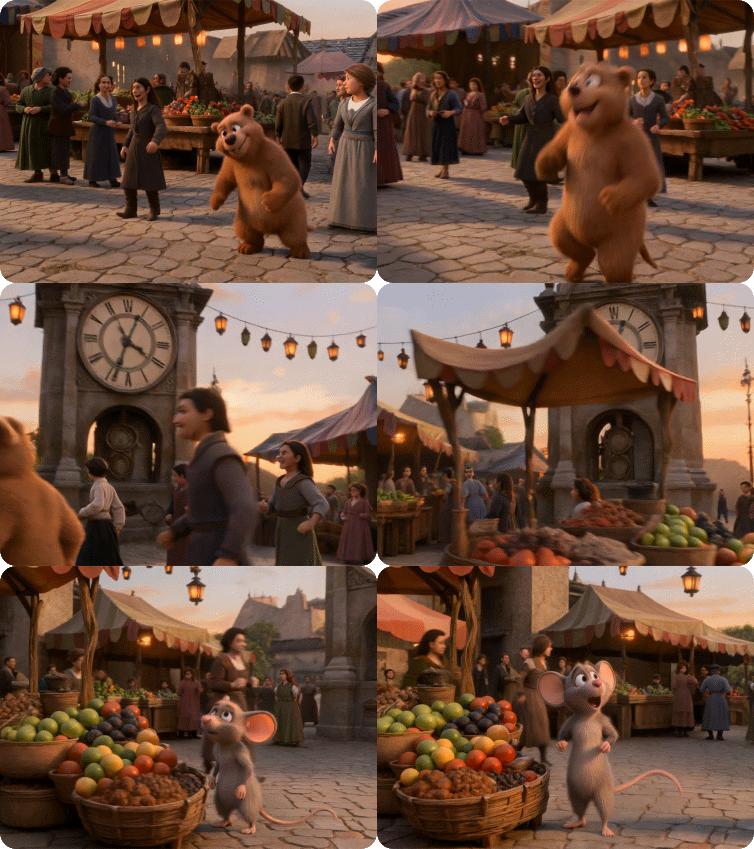
You only need to write down what you want to shoot, and the AI ​​can automatically break it down into appropriate shots, such as close-ups of expressions and medium shots of actions. It can directly generate finished films that include professional techniques such as shot transitions and voice-over, without you having to manually stitch them together or do post-processing.

PromptOutput Video
Vibrant sunset marketplace: cartoon animals gaze at an old clock while children run, merchants shout, and musicians play. Lanterns swing as the camera weaves through the lively, dancing crowd.Output Video

Native Audio

Produce aligned audio in one go - including narration, lip-synced speech, sound effects, environmental sounds, and background score. Achieve frame-accurate sync without any editing afterward. It supports different languages, dialects and accents.

Input ImagePromptOutput Video
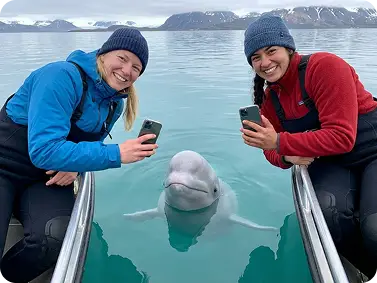
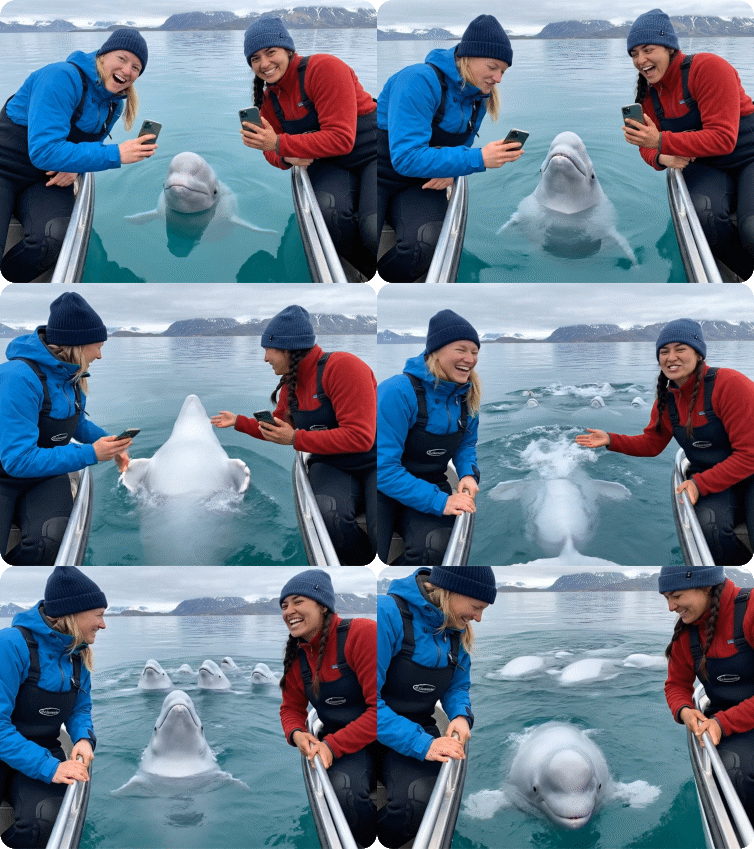
input imageThe camera sways slightly with the waves and zooms in a little on the people in the image. The two people in the picture are having a conversation, which needs to be related to discussing beluga whales. The beluga whales are also happily playing and swimming in the water.output video

Native 4K Output Quality

Kling 3.0 video generator produces true 4K resolution at 60 frames per second without upscaling. Every frame delivers broadcast-grade clarity with rich color depth and smooth motion.

PromptOutput Video
Four girls in kimonos watch fireworks in front of a snack shop.reference image

Enhanced Scene/Character Consistency

Kling video and image 3.0 preserves character appearance, lighting setups, and environmental elements across extended sequences, creating professional content with cinematic continuity and visual coherence.

Input ImagePromptOutput Video
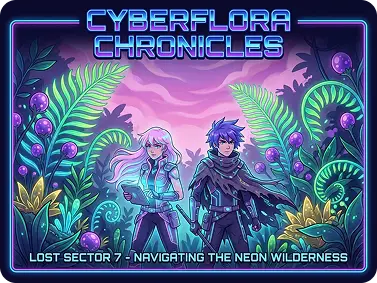
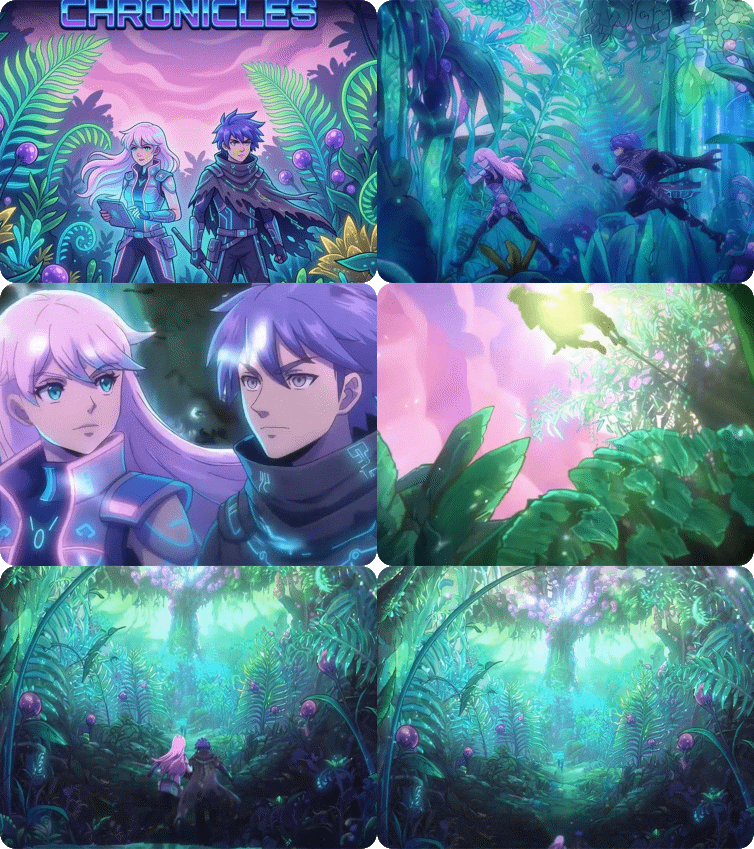
input imageThese two protagonists are exploring a challenging world of giant plants. Camera drifts over colossal neon-green ferns and magenta-tinted sky, slowly focusing on two characters leaping between giant leaves. Follows their upward jump, capturing silhouettes against dappled sunlight before dollying into an over-the-shoulder shot of them venturing deeper into the foliage.output video

Why Try Kling 3.0 on Dzine AI?

Advanced AI Models

Advanced AI Models

Adcaned AI image and vidoe models such as Google Veo 3.1 and Nano Banana Pro to deliver high-quality, varied video content that makes your work truly distinctive.

One Click to Generate

One Click to Generate

Produce polished visuals instantly, apply styles auto-magically, or refine designs without pro skills.

Free Trial

Free Trial

Access core AI tools for free trial, experiment with creations freely, or test features before committing.

High Quality Results Export

High Quality Results Export

Export high-res visuals in multiple formats, preserve every fine detail, or use them for print & digital.

Watermark Free

Watermark Free

Get clean, watermark-free outputs, use visuals for commercial campaigns, or share them seamlessly.

Online Platform No Donwloading

Online Platform No Donwloading

Create on the web directly, skip software installation, or design anytime anywhere on any device.

What Our Users Said

4K Changes Everything

The native 4K output from Kling 3.0 eliminates the quality gap I've always struggled with in AI video. My clients now receive broadcast-ready footage that holds up on large screens. The 60fps frame rate makes motion incredibly smooth, especially for product demonstrations and action sequences.

Marcus ChenCommercial Video Producer

Regional Editing Saves Hours

Before Kling 3.0 video generator, fixing small errors meant regenerating entire clips and hoping for better results. The regional editing feature lets me modify specific elements without touching what's already perfect. This precise control has cut my revision time significantly.

Elena RodriguezCreative Director

Unified Workflow Excellence

Having text-to-video, image-to-video, and editing capabilities in one platform transforms my workflow. Kling image 3.0 lets me move seamlessly between creation and refinement without switching tools or losing context. The time savings add up quickly across projects.

James ParkDigital Content Creator

FAQ

What is Kling 3.0 video generator?

Kling 3.0 is an advanced AI video generation model from Kuaishou Technology, available on Dzine. The Kling 3.0 AI video generator creates professional videos up to 15 seconds long with native 4K/60fps output, regional editing capabilities, and unified multimodal architecture for complete creative control.

How to use Kling video 3.0 for free?

Dzine offers a free trial that provides access to Kling 3.0 video generator features. Create videos during the trial period with full functionality including 4K output, regional editing, and multimodal tools without payment information required.

What makes Kling 3.0 different from previous versions?

Kling 3.0 AI video generator introduces native 4K/60fps output compared to 1080p in earlier versions. It adds extended 15-second duration, pixel-level regional editing, unified multimodal architecture combining seven creative tools, and enhanced scene consistency for professional results.

Can Kling image 3.0 maintain character consistency?

Yes, Kling image 3.0 excels at preserving character identity, facial features, clothing details, and proportions across entire video sequences. The enhanced scene consistency ensures characters remain visually coherent through different camera angles, lighting conditions, and movements.

Does Kling 3.0 support regional editing?

Yes, Kling 3.0 video generator features advanced regional editing with pixel-level inpainting. You can modify specific objects, remove unwanted elements, or change isolated areas without regenerating the complete video, maintaining perfect background reconstruction.

What video formats does Kling video 3.0 support?

Kling video 3.0 generates videos at native 4K resolution (3840x2160) at 60 frames per second. The output maintains broadcast-quality standards suitable for television, cinema, premium digital platforms, and professional commercial applications.

What is the unified multimodal architecture in Kling 3.0?

The Kling 3.0 AI video generator integrates seven capabilities into one platform: text-to-video generation, image-to-video conversion, video editing, audio generation, avatar creation, special effects, and lip-sync. This unified system enables seamless transitions between creative tasks without switching tools or losing workflow context.