- Tools
- Resources
- Pricing
- API
- Contact Sales
- Book a Demo


Free Pixelated Images Converter
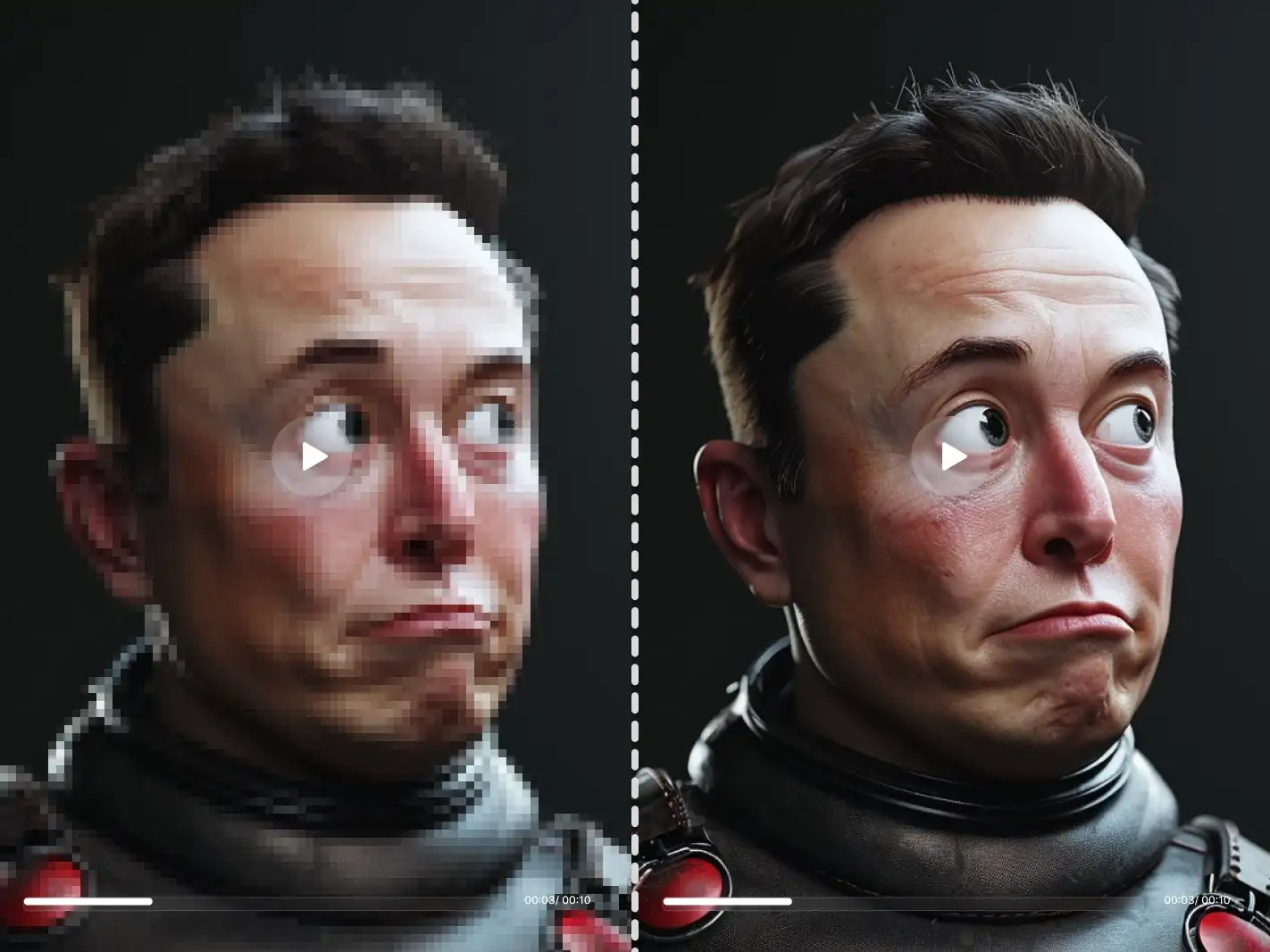
At Dzine, our AI-powered Pixelated Images Converter lets you effortlessly transform any photo into pixel art or apply customizable pixelated effects—no design skills, no app downloads, and 100% free. Whether you’re creating retro game graphics, artistic pixel art, or censoring sensitive details, our pixelated images converter delivers high-resolution (up to 4K) results that capture the iconic blocky aesthetic of pixel art or precise pixelation for privacy needs.

Click or drag here to upload images
Try one of these samples to experience the stunning pixelated image effect or pixel art conversion instantly
Unlock Retro & Creative Visuals with Customizable Pixelated Images Converter
The pixelated images converter is a game-changer for adding retro charm, artistic flair, or privacy protection to your photos—and Dzine’s AI-powered tool stands out with unmatched customization and professional-grade output. Our pixelated images converter lets you adjust pixel size, choose pixel art styles, and tailor the effect to match your creative vision—ideal for game developers, artists, or anyone looking to transform ordinary photos into eye-catching pixel art. Pair our pixelated images converter with the AI Meme Generator to create your favorite custom memes before applying the pixel effect, or use the AI Photo Enhancer to sharpen details for crisp, immersive pixel art results.
How to Use Dzine’s AI Pixelated Images Converter in 3 Simple Steps
Step 1: Upload Your Image & Input Pixel Art Goals
Head to Dzine’s "AI Image" tool and upload the photo you want to edit (supports JPG, PNG, WebP, TIFF). Type in your prompt (e.g., "convert image to 8-bit retro game pixel art" or "apply pixelated effect to photo with 16-bit pixel size for censoring")
Step 2: Set Generation Parameters
Choose from our AI models Nano Banana Pro or Z-Image, then configure image resolution (up to 4K), pixel size, pixel art style, and color preservation to match your vision.
Step 3: Generate & Download Your Pixelated Image
Click the Generate button to create your pixel art or pixelated image instantly. Download the result—no watermarks, no usage limits, and perfect for sharing on social media, game development, or printing.
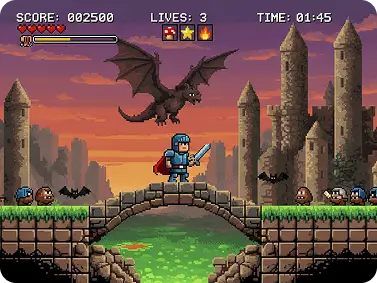
Retro Game Graphics & Sprites
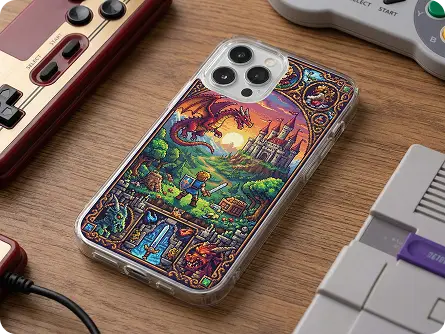
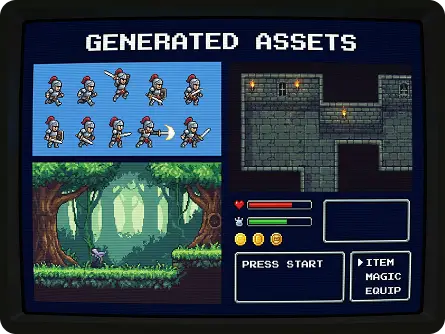
Use our pixelated images converter to turn concept art into pixel-perfect game sprites, backgrounds, or UI elements—ideal for indie game developers or retro gaming enthusiasts. Our image to pixel converter supports 8-bit, 16-bit, and 32-bit styles to match classic game aesthetics. Pair it with the 2D to 3D Image Converter to add depth to your pixel art characters.
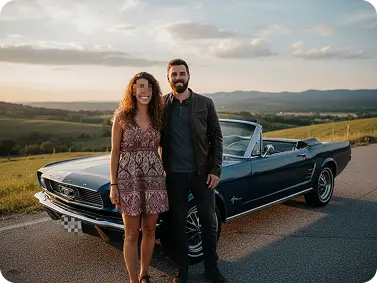
Privacy-Focused Pixelated Censorship
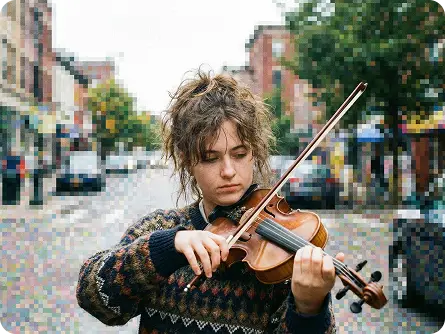
Apply precise pixelated effects to obscure sensitive details (faces, license plates, personal info) in photos—our pixelated images converter lets you adjust pixel size and brush area for targeted censorship, no manual editing required.
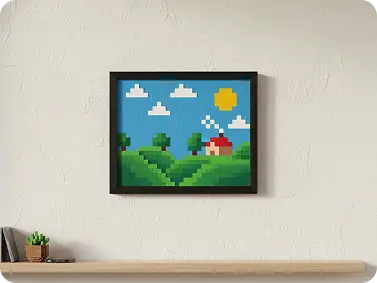
Artistic Pixel Art for Social Media & Prints
Convert landscape, portrait, or abstract photos into unique pixel art for social media posts, wall art, or merchandise—our image pixel art tool preserves color accuracy and detail while adding the iconic blocky aesthetic. Use the AI Polaroid Photo Generator to frame your pixel art for retro-inspired prints.
Explore Creative Use Cases for Our Pixelated Images Converter
Dzine’s Pixelated Images Converter adapts to every creative and practical need, from nostalgic retro game art to privacy-focused censorship. Our free tool lets you convert images to pixel art or apply pixelated effects with full customization—no subscriptions, no watermarks, and instant results.
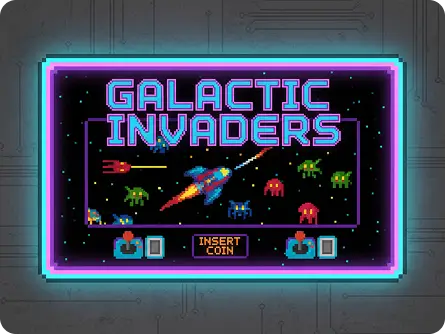
Nostalgic Pixel Art Style
Use our pixelated images converter to recreate the iconic pixel art style of classic arcade games—adjust color palettes and pixel size to match Pac-Man, Space Invaders, or Street Fighter aesthetics perfectly.
Try now for free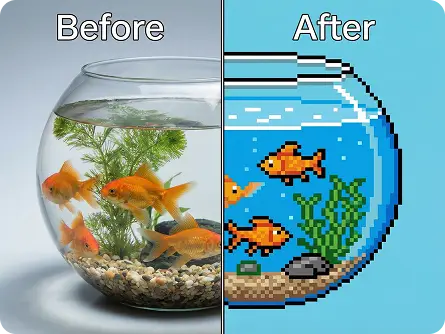
Why Dzine’s Pixelated Images Converter Stands Out

AI-Powered Customization
Our pixelated images converter uses AI to adapt to your prompts—adjust pixel size (8/16/32-bit), style (retro arcade, minimalist, indie game), and color palette to get exactly the image pixel art or pixelated effect you envision.

4K High-Resolution Output
Unlike basic pixel art tools, our converter preserves HD quality—your pixelated image or pixel art looks crisp and clear for printing, game development, or large-scale sharing.

Instant Generation (3 Seconds)
Skip long wait times—our pixelated images converter generates edited photos in seconds, perfect for time-sensitive social media posts or game development deadlines.

100% Free (No Watermarks/Limits)
Use our pixelated images converter as much as you want, download unlimited pixel art or pixelated images, and share anywhere—no hidden fees, subscriptions, or watermarks on your creations.

500+ Pixel Art Styles
Choose from classic 8-bit, 90s retro game, minimalist, arcade, and more—our image to pixel converter has endless styles to match every creative vision and use case.

GDPR-Compliant & Private
We never store your photos or edited results—all processing is local, so your personal images stay secure while you create with our pixelated images converter.
More AI Tools to Enhance Your Creations

What Our Users Said
The Best Pixel Art Tool for Indie Game Development
I use Dzine’s pixelated images converter to create sprites and backgrounds for my indie game—their AI lets me adjust pixel size and style to match 90s retro game aesthetics, and the 4K output is perfect for high-resolution game assets. My development time has cut by 50%!
Liam ParkerIndie Game Developer
Perfect for Viral Social Media Pixel Art
As a content creator, I rely on Dzine to convert photos to pixel art for TikTok and Instagram—authentic retro styles and instant generation make my posts stand out, and the free, watermark-free output is a game-changer for my workflow.
Sofia MartinezSocial Media Creator
Easy & Precise Pixelated Censorship
I use Dzine’s pixelated images converter to censor sensitive details in real estate photos—targeted pixelation lets me obscure addresses or faces without ruining the rest of the image, and the tool is so intuitive I can edit dozens of photos in minutes.
Marcus LeeReal Estate Photographer
Make AI Dance, Perform & Act | Dzine AI
FAQ
What is Dzine’s Pixelated Images Converter?
Dzine’s Pixelated Images Converter is an AI-powered tool that lets you convert any image to pixel art or apply customizable pixelated effects online. Our free tool offers adjustable pixel size (8/16/32-bit), 500+ styles, up to 4K resolution, and no watermarks or downloads required.
Are Dzine’s pixelated image tools free to use?
Yes! Our pixelated images converter is 100% free to use, with unlimited generations, high-resolution downloads, and no hidden fees. You can convert images to pixel art or apply pixelated effects as many times as you want without subscriptions.
Can I adjust the pixel size for the pixel art effect?
Absolutely. Our AI-powered tool lets you input custom prompts (e.g., "convert image to 8-bit pixel art" or "apply 32-bit pixelated effect to photo") to tailor the pixel size to your exact preferences—giving you full creative control over your image pixel art.
How do I achieve an 80s arcade game look with this converter?
Simply input a prompt like "convert image to 8-bit 80s arcade game pixel art with neon color palette"—our AI will apply the classic blocky pixel style, vibrant neon colors, and retro aesthetic that define 80s arcade games.
Can I pixelate only part of an image for censorship?
Yes. The pixelated images converter lets you target specific areas for pixelation—input a prompt like "pixelate the face in this photo with 16-bit pixel size" or use our brush tool to select areas, making it perfect for privacy-focused censorship.
Why is pixel art trending on social media?
Pixel art creates nostalgic, eye-catching visuals that stand out in crowded feeds—its retro blocky aesthetic adds uniqueness and charm to selfies, reels, and posts, making it a favorite for creators looking to boost engagement.