Dzine AI vs Anijam AI: Which AI Tool Creates Better Cartoon Videos?
AI-powered animation is having a major moment. Creators across social media, marketing, and entertainment are turning to cartoon video generator AI tools to produce stunning animated content - without hiring a studio or learning complex software. The barrier to entry has never been lower.
Two tools are drawing a lot of attention right now: Dzine AI and Anijam AI. Both promise to simplify anime and animation video creation, but they take quite different approaches. Whether you’re a solo creator, a marketer, or a hobbyist animator, knowing how these two stack up can save you a lot of time.
This guide breaks down everything you need to know - features, workflows, output quality, and who each tool is best suited for.
What Is Dzine AI and What Is Anijam AI?
Dzine AI Overview
What is Dzine AI?
Dzine AI is a comprehensive all-in-one AI creative studio that covers image generation, video creation, editing, filters, and animation - all within a single platform. It’s designed for visual creators who want professional-grade output without needing deep technical skills.
When it comes to anime and animation video, Dzine offers dedicated tools for generating animated clips from text or images, applying anime-style filters, and even animating still frames into motion sequences.
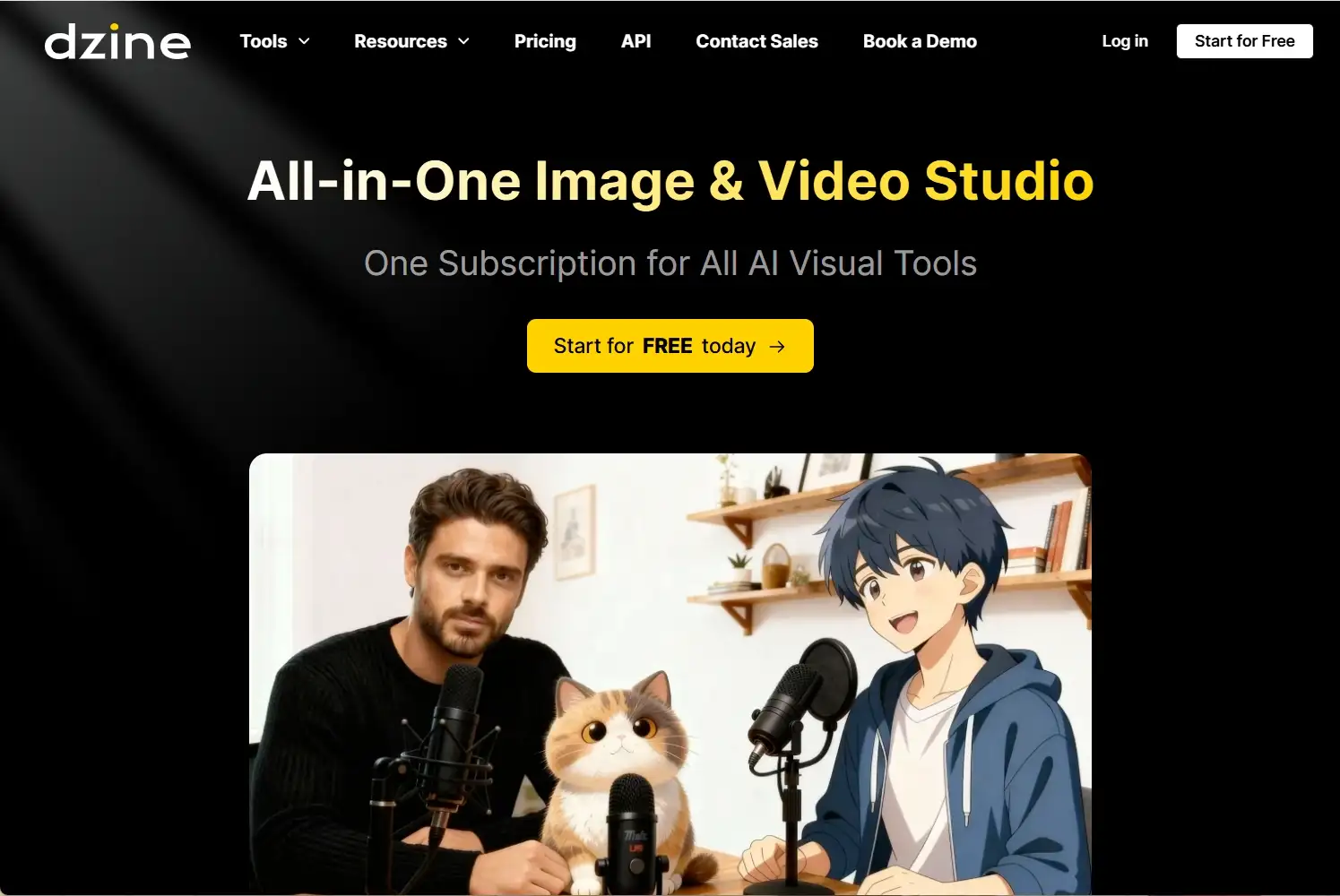
Key Dzine AI features for anime video:
- Text-to-video and image-to-video generation with anime style support.
- Dedicated AI anime filter and style transfer tools.
- Lip sync capabilities for animated characters.
- Access to multiple leading video generation models (Seedance 2.0, Kling 3.0, Wan 2.7, Nano Banana 2, and more).
- Consistent character generation across multiple scenes.
- AI video enhancer and editor built in.
- TikTok and short-form video optimization.
- Broad output format flexibility.
Anijam AI Overview
What is Anijam AI?
Anijam AI is a next-generation animation platform developed by Dzine, released in early 2026. It was built specifically for animation production - not just video generation. Its core idea is a “Production Workflow on the Canvas,” where the entire creation process, from concept to final export, happens in one unified workspace.
Anijam takes a conversational, agent-driven approach to animation. You describe your idea, and the AI handles the rest - generating story outlines, designing characters, sequencing scenes, and even syncing voiceovers.
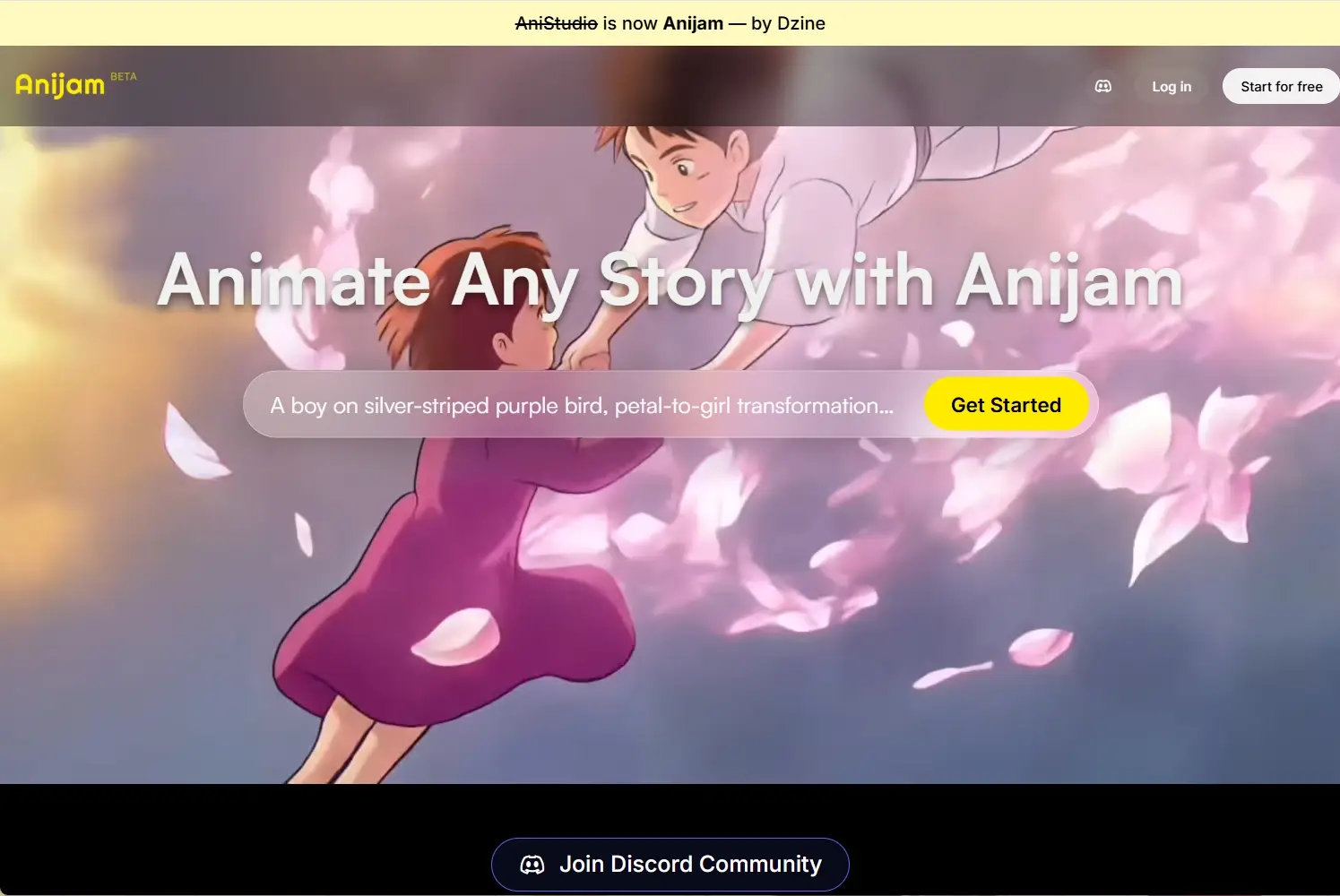
Key Anijam AI features:
- Chat-based animation workflow - describe your idea and the AI builds it.
- Consistent character creation and cross-scene character locking.
- Advanced lip sync engine with multi-language voice library.
- Style library with custom training options.
- Integrated timeline editor for fine-tuning pacing and transitions.
- Full scene management: storyboard, characters, and audio in one place.
- Optimized for narrative-driven and episodic animation.
Feature Comparison: Dzine AI vs Anijam AI
| Feature | Dzine AI | Anijam AI |
|---|---|---|
| Primary Focus | All-in-one image & video studio | Dedicated animation production platform |
| Ease of Use | Beginner-friendly, modular tools | Beginner-friendly via chat-based interface |
| Anime Style Support | Strong - dedicated anime filter + style transfer | Strong - style library with anime options |
| Character Consistency | Available via Consistent Character tool | Built-in cross-scene character locking |
| Lip Sync | Yes - dedicated lip sync video tool | Yes - animation-optimized lip sync engine |
| Workflow Style | Tool-by-tool or combined pipeline | Single canvas, end-to-end workflow |
| Customization | High - multiple models + editor | High - custom style training available |
| Speed | Fast generation via top-tier models | Moderate - more steps for full animation |
| Output Flexibility | Images, short clips, longer videos, social formats | Animated sequences, short films, series |
| Best Output Type | Stylized clips, social content, promos | Narrative animations, series, explainers |
How to Generate Anime Videos: Step-by-Step Comparison
Dzine AI Workflow
Step 1: Choose your tool
Head to the Dzine AI’s Chat Editor platform and select from the AI video generation tools - for anime content, you might start with the AI Animation Video Generator or the Image-to-Video tool.
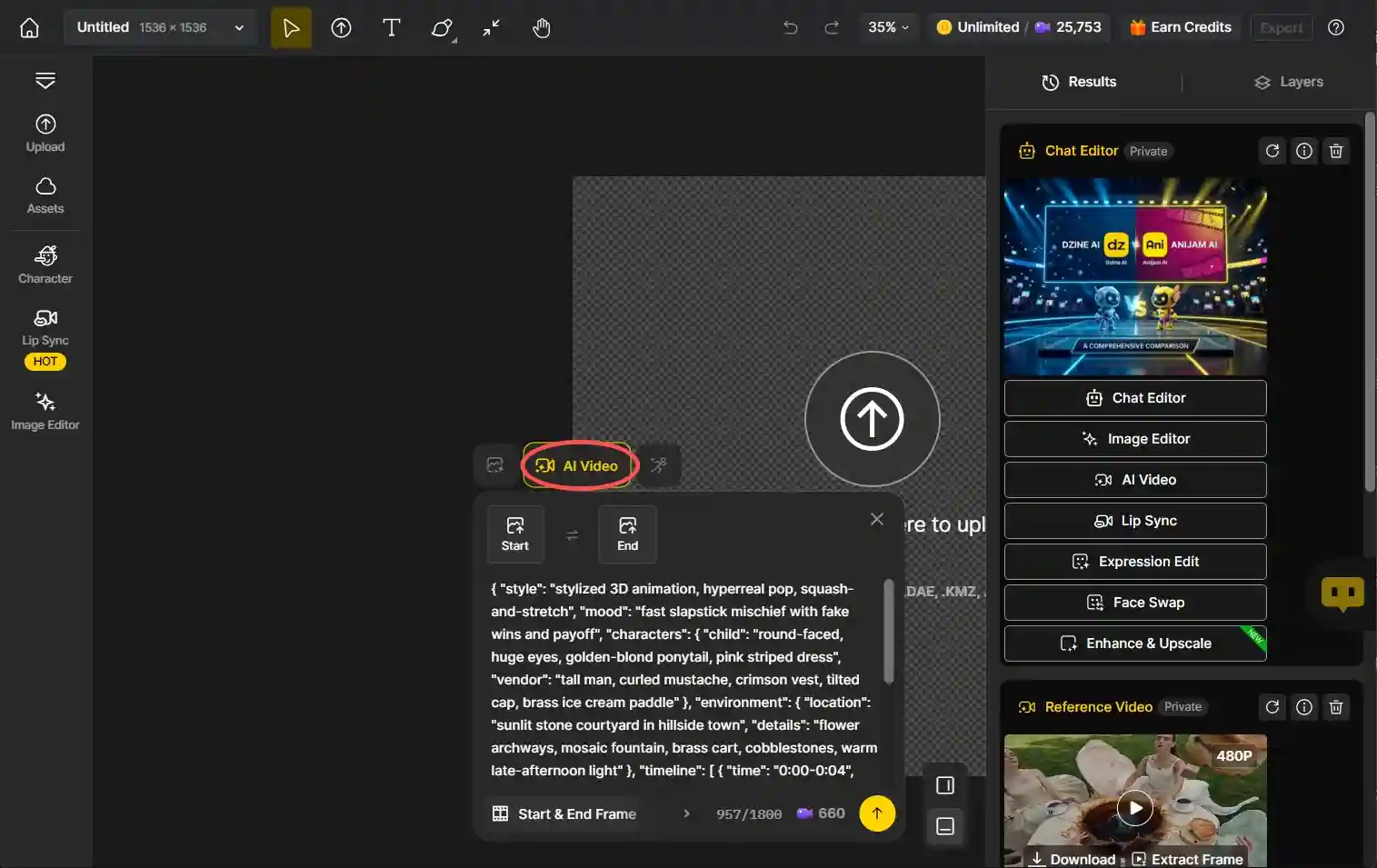
Step 2: Input Your Prompt or Image
Type a detailed description of your desired anime scene, or upload a reference image. Dzine supports both text-to-video and image-to-video generation.
Step 3: Select Your Style and Model
Choose an animation style and pick from available generation models like Kling, Wan, or Hailuo depending your.
Step 4: Generate and Refine
Click Generate, review your result, and use the built-in AI video editor or enhancer to polish the result before downloading.
Anijam AI Workflow
Step 1: Describe Your Idea
Open the Anijam canvas and type your animation concept in plain language. You can also upload a reference image to guide the visual style.
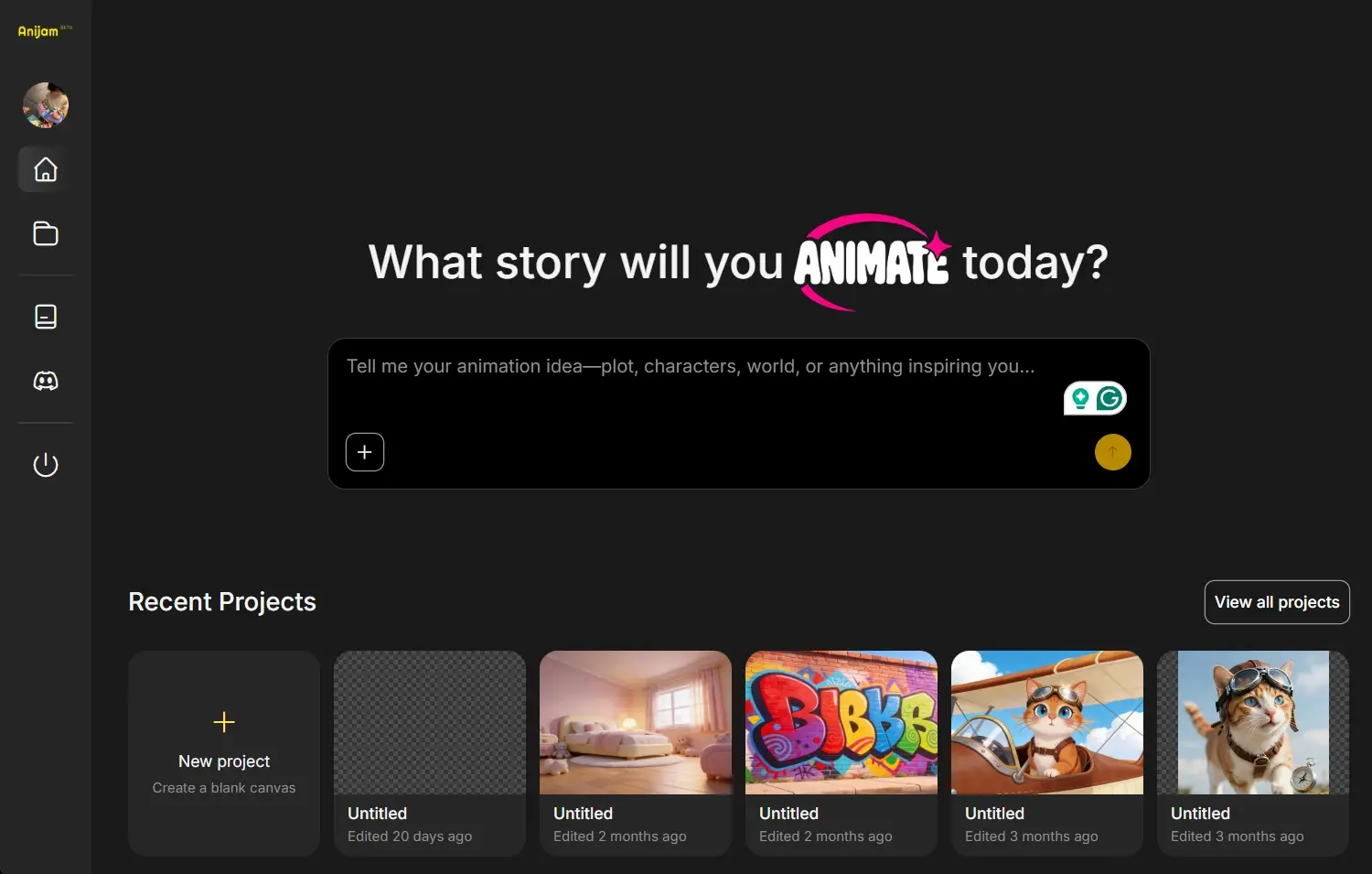
Step 2: Let the AI Build Your Story
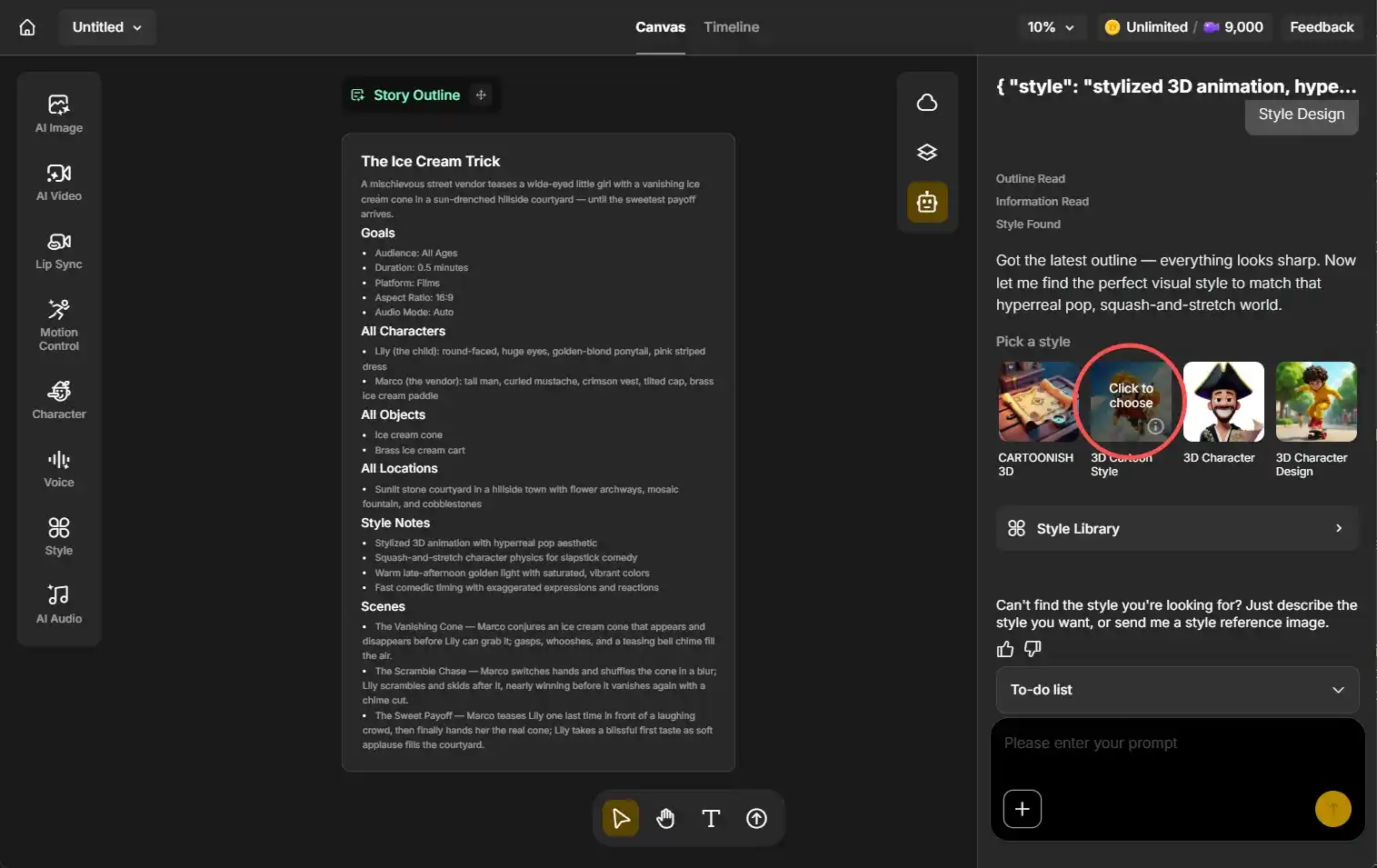
Anijam’s AI agent automatically generates a story outline, character concepts, and an initial sequence of scenes based on your input.
Step 3: Customize and Generate
Select a visual style from the library, adjust character details, choose a voice or upload audio, and click Generate to produce your animated video.
Step 4: Edit and Export
Use the timeline editor to tweak pacing, clip order, and transitions. Once satisfied, download and share directly to any platform.
Key Differences
Dzine AI’s workflow is more modular - you pick the tools you need for each step, which gives you flexibility but also requires more manual decision-making. Anijam AI, on the other hand, guides you through a unified pipeline from concept to export. For users who want to go from idea to finished animation with minimal friction, Anijam’s approach is more streamlined. For users who want granular control over individual elements, Dzine’s toolkit gives more options.
Video Output Comparison
I designed a task for Dzine AI and Anijam AI that asked them to generate a 3D cartoon anime video. The following is the result.
Video created by Dzine AI:
Video creatd by Anijam AI:
Visual Quality
Both tools produce high-quality anime-style visuals. Dzine AI benefits from access to multiple top-tier generation models, meaning you can mix and match depending on the visual quality and style you’re after. Anijam’s outputs are consistently polished for animation, with a focus on scene coherence and character expressiveness rather than raw model diversity.
Animation Smoothness
Anijam has a slight edge here for narrative sequences - its timeline editor and scene-sequencing tools result in smoother multi-scene animation flows. Dzine AI produces smooth motion clips but is more optimized for shorter, standalone animated segments.
Style Consistency
Anijam’s character locking feature is particularly strong for maintaining visual consistency across multiple scenes and episodes. Dzine AI’s Consistent Character tool works well for single-project use, though it requires more manual setup for longer-form content.
Creativity
Dzine offers more creative model variety, letting users experiment with different generation engines side by side. Anijam excels at guided creative production, where the AI helps shape your vision into a complete animated piece.
Pros & Cons
Dzine AI Pros
- Access to multiple cutting-edge video generation models.
- Extremely versatile - handles images, videos, filters, and lip sync in one place.
- Excellent for quick content creation and social media output.
- Strong anime filter and style transfer options.
- Easier to jump into for isolated tasks.
Dzine AI Cons
- Not purpose-built for long-form narrative animation.
- Cross-scene character consistency requires more manual effort.
- Workflow can feel fragmented for complex animation projects.
Anijam AI Pros
- End-to-end animation workflow on a single canvas.
- Superior character consistency for series and multi-scene projects.
- Chat-based input lowers the technical barrier significantly.
- Built-in lip sync engine designed specifically for animation.
- Custom style training for brand or personal aesthetic.
Anijam AI Cons
- Narrower scope - focused on animation, not broader content creation.
- Slightly slower for users who just want a quick animated clip.
- Currently in early access (beta), so some features may evolve.
Use Cases & Target Users
Beginners
Both tools are accessible for beginners. Dzine AI lets newcomers start with simple tools and gradually explore more. Anijam’s conversational interface means complete beginners can create a full animation just by describing an idea - no technical knowledge required.
Winner for beginners: Anijam AI - the guided workflow removes nearly all friction.
Content Creators
Social media creators who need frequent, high-quality anime-style clips will find Dzine AI’s speed and model variety appealing. Its TikTok video generator and short-form optimizations are ready-made for fast content cycles.
Winner for content creators: Dzine AI - built for volume and platform-specific output.
Marketers
Marketers producing branded animation campaigns will benefit from both tools. Dzine is faster for producing individual promo clips and stylized visuals. Anijam is stronger when the campaign needs consistent characters across multiple videos or storytelling continuity.
Winner for marketers: Depends on the campaign - Dzine for quick assets, Anijam for narrative campaigns.
Anime Creators
Anyone building an animated series, short film, or episodic web content will find Anijam AI significantly more capable. The character locking, timeline editor, and scene sequencing tools were built with this audience in mind.
Winner for anime creators: Anijam AI - purpose-built for this use case.
Final Verdict
Both Dzine AI and Anijam AI are excellent tools for cartoon video generation - they just serve different needs.
Choose Dzine AI when:
- You need a versatile creative platform that handles images, videos, and animation all in one place.
- Your content goals include short-form social media clips, stylized anime filters, or quick animated promos.
- You want access to multiple top-tier AI generation models and the freedom to mix and match.
- Speed and output volume are priorities.
Choose Anijam AI when:
- Your project requires narrative-driven animation with consistent characters across multiple scenes.
- You’re building an animated series, short film, or episodic content.
- You want a guided, end-to-end workflow from concept to finished video without switching tools.
- Expressive lip sync and cinematic storytelling are central to your work.
If you’re just getting started with AI animation or need an all-purpose creative hub, Dzine AI is a smart first choice. If anime storytelling and character-driven animation are your core focus, Anijam AI is where the real power lies.

FAQ
Is Dzine AI better than Anijam AI?
It depends on your use case. Dzine AI is better for versatile, fast creative production across images and short video clips. Anijam AI is better for dedicated, narrative-driven animation with consistent characters across scenes. Neither is universally superior - they serve different creative goals.
Which AI is best for anime video generation?
Both tools support anime-style video, but Anijam AI is purpose-built for animation production, making it stronger for longer-form or multi-scene anime content. Dzine AI is excellent for quick anime clips and stylized content with its dedicated anime filter and multiple generation models.
Is Anijam AI free?
Anijam AI launched in early 2026 and was available for free during its beta period. Pricing details may change as the platform matures. It’s worth checking the Anijam website for the most current plan information.
Can beginners use Dzine AI?
Yes. Dzine AI is designed to be accessible for creators of all skill levels. Its modular interface lets beginners start with simple tasks and explore more advanced features over time. No design or technical background is required to get started.
Which tool gives better quality anime video output?
Quality depends on the type of content. Dzine AI offers access to multiple top-tier generation models, giving it an edge in raw output variety. Anijam AI produces consistently polished animation with strong scene coherence, making it the better choice for multi-scene projects where visual consistency matters.
Can I use Dzine AI and Anijam AI together?
Yes. Since Anijam was developed by Dzine, the two platforms are complementary. You might use Dzine AI to generate individual assets, style references, or image inputs, and then bring them into Anijam for full animation production.
Which tool is better for social media anime content? Dzine AI has a clear edge for social media, with a dedicated TikTok video generator, short-form optimization, and fast generation speeds. Its anime filter and image-to-video tools make it easy to create platform-ready content quickly and consistently. ::
by Daisy
Exploring how AI transforms marketing, I help businesses unlock growth and future-proof their presence.