GPT Image 1.5

GPT Image 1.5, powered by the latest OpenAI technology, improves accurate text rendering and complex prompt adherence. It makes precise editing while preserving detail, and image generation is up to 4 times faster. Start trying it on Dzine now.

No idea? Try these inspirations.

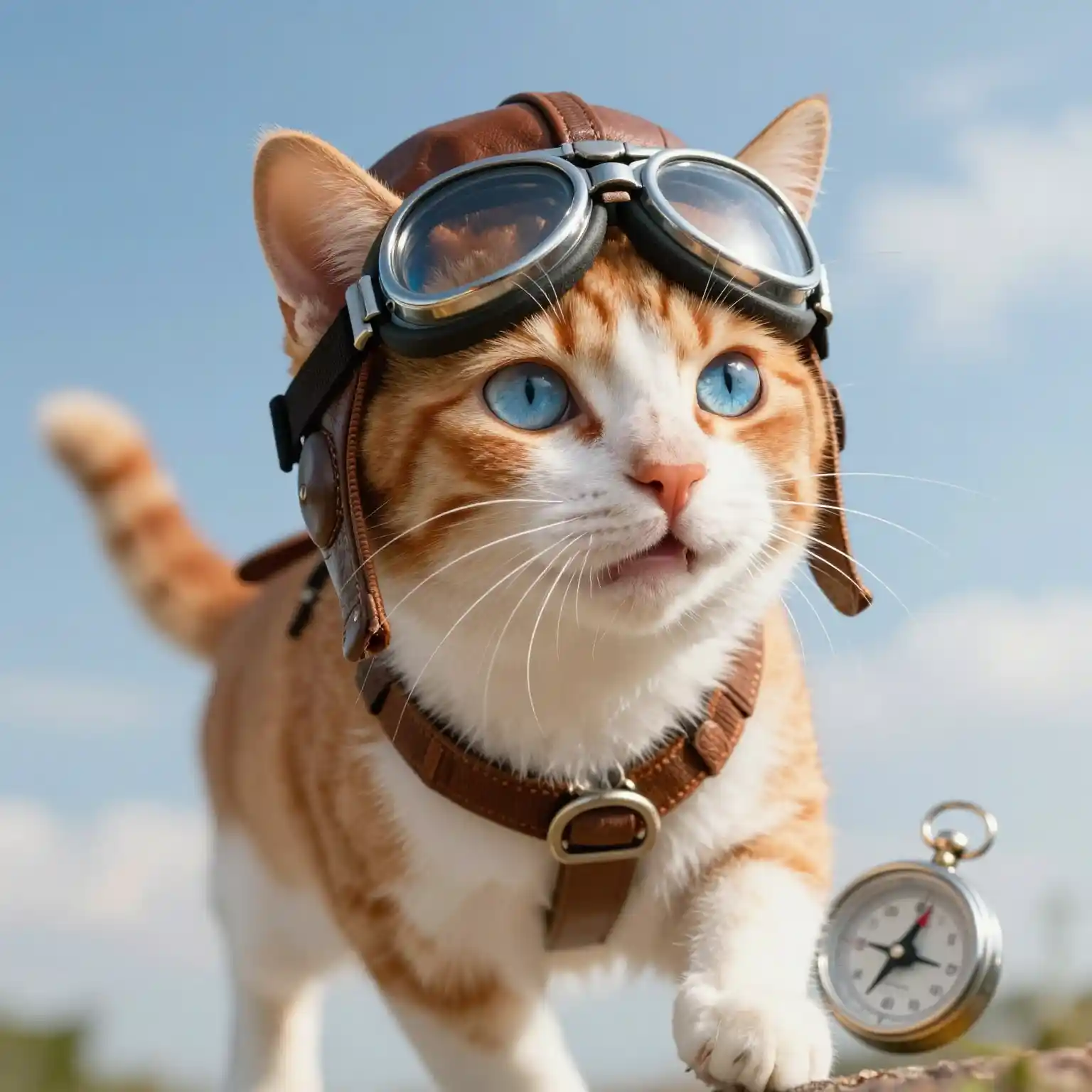
A ginger-and-white cat wearing pilot goggles and a leather harness, with a pocket watch beside it, set against a blue sky with clouds.
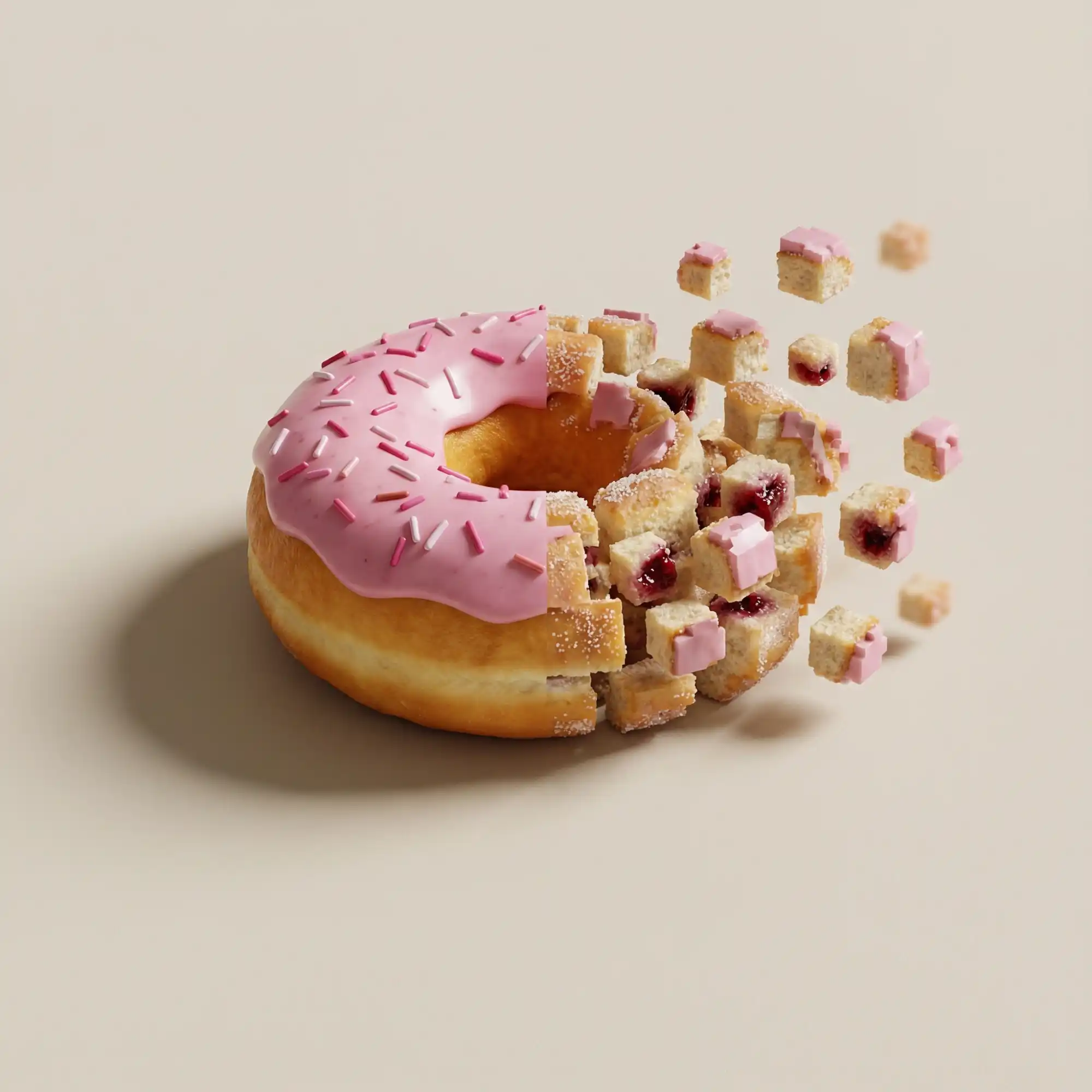
A donut covered in pink glaze and sprinkles, splitting open to spill small pieces of itself.
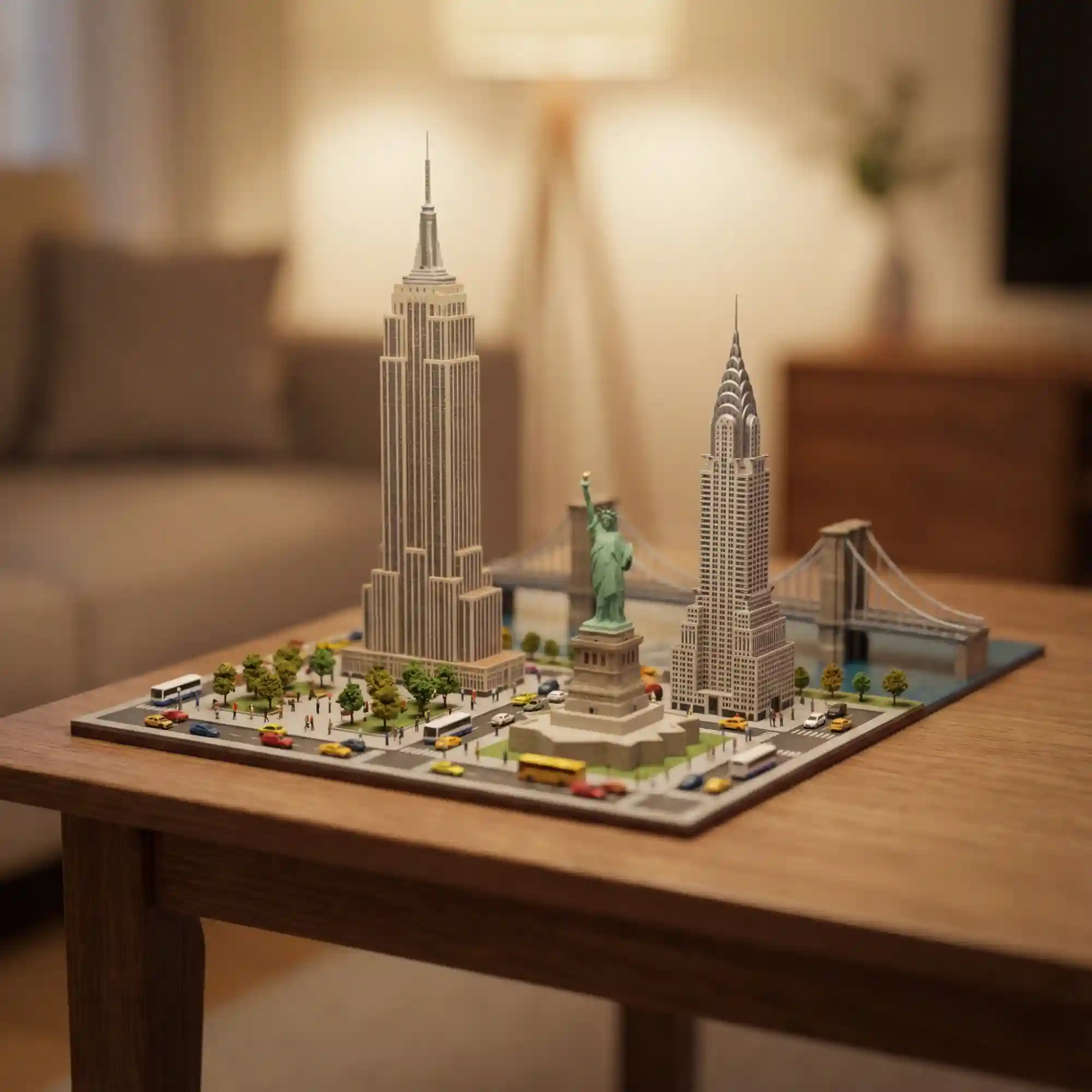
Miniature models of iconic U.S. landmarks (Empire State Building, Statue of Liberty, etc.) placed on a wooden table in a cozy living room.
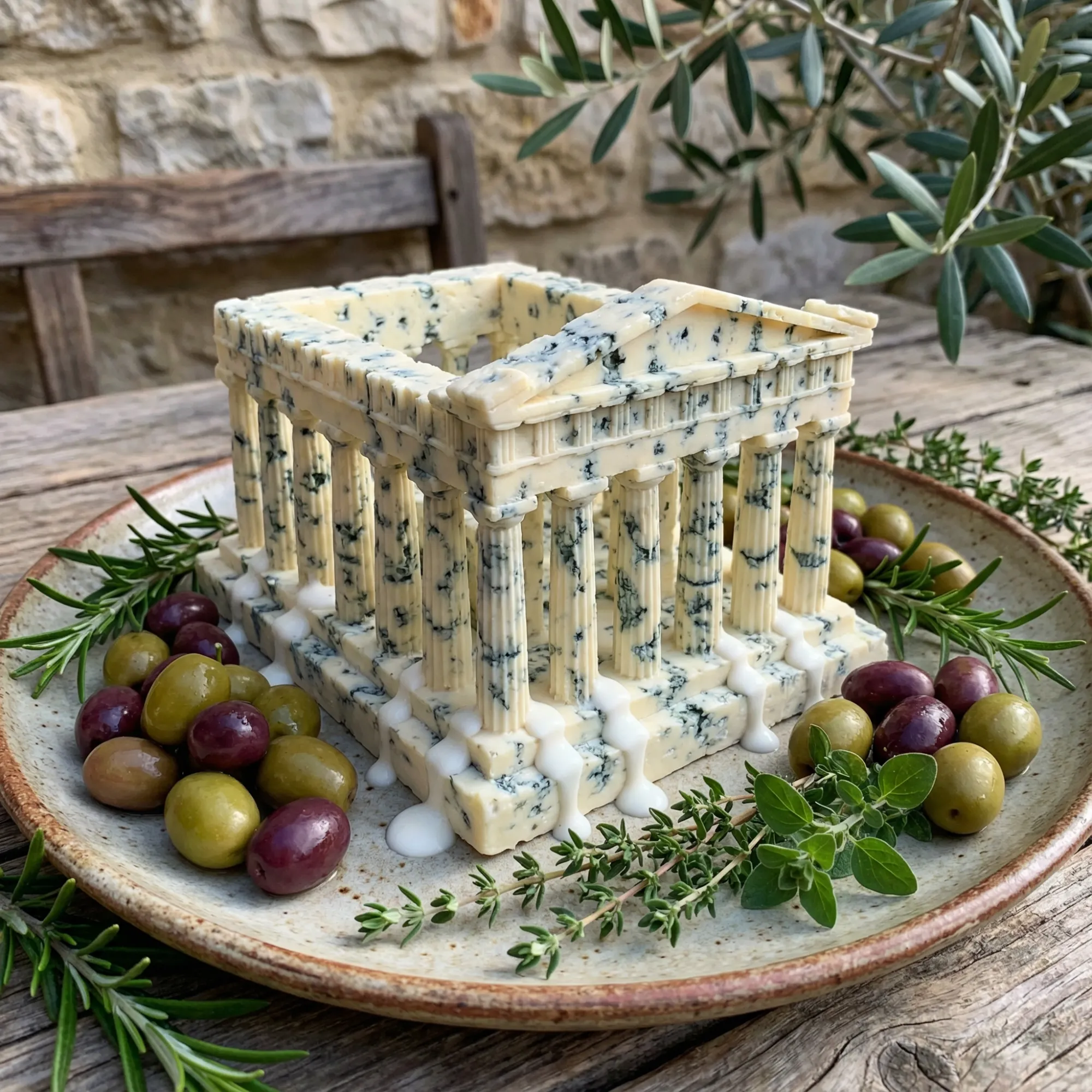
A dish shaped like an ancient Greek temple, made from blue cheese, served with olives and fresh herbs on a plate.
Unmatched Precision and Text Capabilities

GPT Image 1.5 is the latest flagship image generation and editing model launched by OpenAI, designed to transform complex design workflows into simple, conversational experiences. By significantly reducing generation latency and enhancing prompt adherence, it allows users to bridge the gap between imagination and visual reality in seconds. Its seamless integration of professional-grade editing and creative flexibility makes it a powerful ally for both casual creators and design professionals.

Simply describe the adjustments you need, and GPT Image 1.5 will accurately interpret and execute the edits. Whether it is modifying specific details within a character, seamlessly replacing backgrounds, or fine-tuning lighting and shadows, the model maintains consistent visual logic throughout. The tool supports advanced text rendering and diverse aspect ratios to meet the demands of modern social media, marketing, and artistic projects.

Key Upgrades of GPT Image 1.5?

1. Superior Text Rendering - Finally, an AI that can spell. Create logos, signboards, and posters with legible, correct text directly within the image generation process.

2. Exact Prompt Adherence - The model follows complex instructions closely. If you ask for a red cat on a blue chair next to a green lamp, that is exactly what you get.

3. Realistic Lighting and Texture - It simulates light physics and material textures with high fidelity, reducing the "plastic" look common in older generators.

4. Complex Composition Handling - Manage scenes with multiple distinct subjects. The model understands spatial relationships better than its predecessors.

How to Use GPT Image 1.5 on Dzine

Step 1: Input Your Prompt

Open Dzine's text to image tool and type a detailed description.

Step 2: Select the Model

In the model selection panel, choose GPT Image 1.5.

Step 3: Generate and Download

Click Generate. Once the image appears, you can download it.

Comparison chart showing text clarity between models

Unlock Advanced Photo Editing and Transformation


GPT Image 1.5 is not just for generation; it is a powerful editing suite. You can perform complex tasks like virtual clothing try-ons or applying stylistic filters to existing photos. This level of control is what sets OpenAI GPT Image 1.5 apart.

GPT Image 1.5 Precise Control Over Composition and Element Placement

Precise Control Over Composition and Element Placement


GPT Image 1.5 understands complex spatial relationships, ensuring that shadows, reflections, and perspectives adjust naturally as you move or resize elements within the frame. This level of granular control ensures your final output isn't just a beautiful image, but a perfectly structured design that aligns with your specific vision.

GPT Image 1.5 has High-Fidelity Text Generation

High-Fidelity Text Generation


Forget blurry or misspelled text in your AI-generated images. GPT Image 1.5 handles dense and small text with remarkable clarity. This makes it the ideal choice for creating professional-grade ad creatives and product packaging mockups.

GPT Image 1.5 Consistent Character and Product Visuals Across Scenes

Consistent Character and Product Visuals Across Scenes


Maintaining visual identity is crucial for branding and storytelling. GPT Image 1.5 allows you to generate the same character or product in different poses and environments. This feature is invaluable for creating cohesive marketing campaigns.

GPT Image 1.5 vs Nano Banana Pro vs Seedream 4.5 vs Z-Image Turbo

FeatureGPT Image 1.5Nano Banana ProSeedream 4.5Z-image Turbo
Primary FocusHighly Dynamic and Customizable Image GenerationRealistic, Logical, and Grounded-in-Reality ImagesARealistic, Logical, and Grounded-in-Reality ImagesSpeed-Optimized Image Generation with Ultra-Fast Results
Editing StyleAdvanced Editing with Flexible Control Over Every AspectAdvanced Creative Controls, Consistent Branding, High-Fidelity VisualsIntegrated Image Generation and Editing, Enhanced Prompt UnderstandingHigh-Speed Image Editing with Minimal Memory Usage, Focused on Clarity and Detail
Output VarietyDynamic Customization, Creative Freedom, Detailed Artistic ControlHigh-Fidelity Visuals, Consistent BrandingHigh-Resolution Consistency, Batch Production, Diverse WorkflowsFast Image Generation with Focus on Speed, Detail, and Clarity
Max ResolutionUp to 4K (3840x2160)Up to 4K (via structured 4K generation/upscaling)Up to 4K (3840x2160)Target around 2K, up to 3K (with potential quality degradation)
Best ForCreative Projects, Dynamic Art, Concept GenerationProduct Photography, Realistic Scene Generation, High-Fidelity Portraits, Text-rich PostersConcept Art, Storyboarding, High-Res Print, Abstract Visuals, Multi-Image FusionFast Prototyping, Minimal VRAM Machines, High-Speed Generation

FAQ

What makes GPT Image 1.5 different from other models?

The main difference is prompt adherence and text rendering. OpenAI GPT Image 1.5 actually "listens" to your detailed instructions and can generate readable English text, which most other models struggle with.

How to use GPT Image 1.5 for the best results?

Be descriptive. Unlike older models where you used keywords, GPT Image 1.5 prefers natural language sentences. Explain the scene, the lighting, and exactly what text should appear as if you were talking to a human artist.

Nano Banana Pro vs GPT Image 1.5: Which should I use?

Use Nano Banana Pro for artistic flair, stylized characters, and creative freedom. Use GPT Image 1.5 when you need logic, precise object placement, or text within the image.

Can I use the images for commercial projects?

Yes, images generated on Dzine, including those from the GPT Image 1.5 model, are yours to use for commercial purposes like advertising, websites, and merchandise.

Does this model support image editing?

While the model itself is a generator, Dzine integrates it into a full editing suite. You can generate an image and then use our Inpainting or Generative Fill tools to modify it further.

Is GPT Image 1.5 faster than other models?

It is optimized for quality and logic rather than raw speed. It may take slightly longer than our "Turbo" models, but the result usually requires fewer retries to get what you want.

Can it generate text in languages other than English?

It performs best with English text rendering. While it has some capability with other languages, English provides the most consistent and error-free results for signage and labels.

What Our Users Said

Finally, Text That Works!

I make flyers for local events. Before, I had to Photoshop text in later. With GPT Image 1.5, I just ask for a 'Summer Sale' sign, and it actually spells it right. It saves me so much time.

Michael R.Graphic Designer

Great Logic for Concept Art

When checking GPT Image 1.5 vs Nano Banana Pro, I found GPT 1.5 much better for my storyboard work. It follows my instructions about where characters stand exactly. It’s a tool for control freaks like me.

Sarah L.Illustrator

The Best for Mockups

I use it to generate packaging ideas. The lighting is super realistic, and the fact that it can put my brand name on the bottle accurately is a game changer for my client presentations.

James T.Brand Manager